The mini PC market has exploded recently, shifting from niche gadgets to genuine desktop replacements for students, home offices, and tinkerers. If you’ve been pricing out components lately, you know that building a budget rig is getting harder—especially with DDR5 RAM prices climbing.
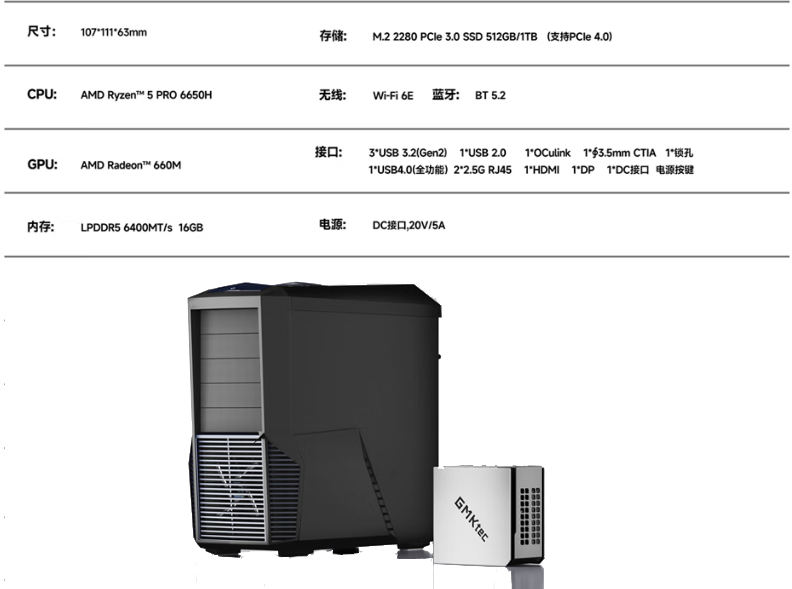
Enter the GMKtec M8. Positioning itself in the sub-$400 sweet spot, it packs an AMD Ryzen 5 PRO 6650H, 16GB of DDR5 RAM, and a 512GB SSD. But the real story isn't just the processor; it's the connectivity. With Dual 2.5GbE LAN ports and an OCuLink port for external graphics, this tiny box is punching way above its weight class.
Is it the perfect budget PC, or are there corners cut to hit that price point? Here is a detailed breakdown of how the M8 holds up for daily work, gaming, and home lab use.
TL;DR: The Verdict
Who is this for?
• Home Lab Enthusiasts: The Dual 2.5GbE LAN ports make this an incredible candidate for a pfSense/OPNsense firewall, a dedicated Plex media server, or a compact NAS.
• Students & Office Users: It handles 4K video output, dozens of browser tabs, and Office apps without breaking a sweat.
• Budget Gamers (with a caveat): Great for emulation and eSports out of the box. If you want AAA gaming, the OCuLink port makes it "eGPU ready."
The Catch: The 16GB of RAM is soldered. You cannot upgrade it later. If your workflow requires 32GB+, look elsewhere.
--------------------------------------------------------------------------------
Design and Connectivity: More Than Just "Small"
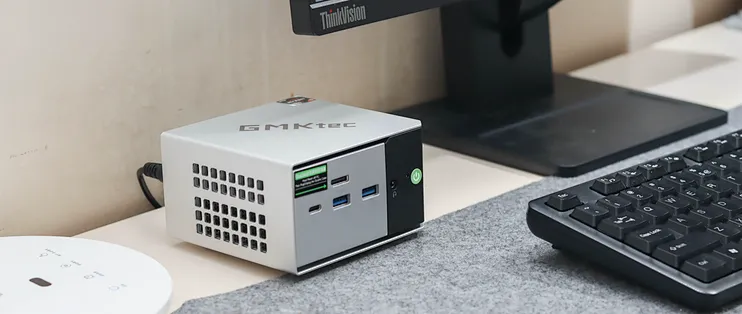
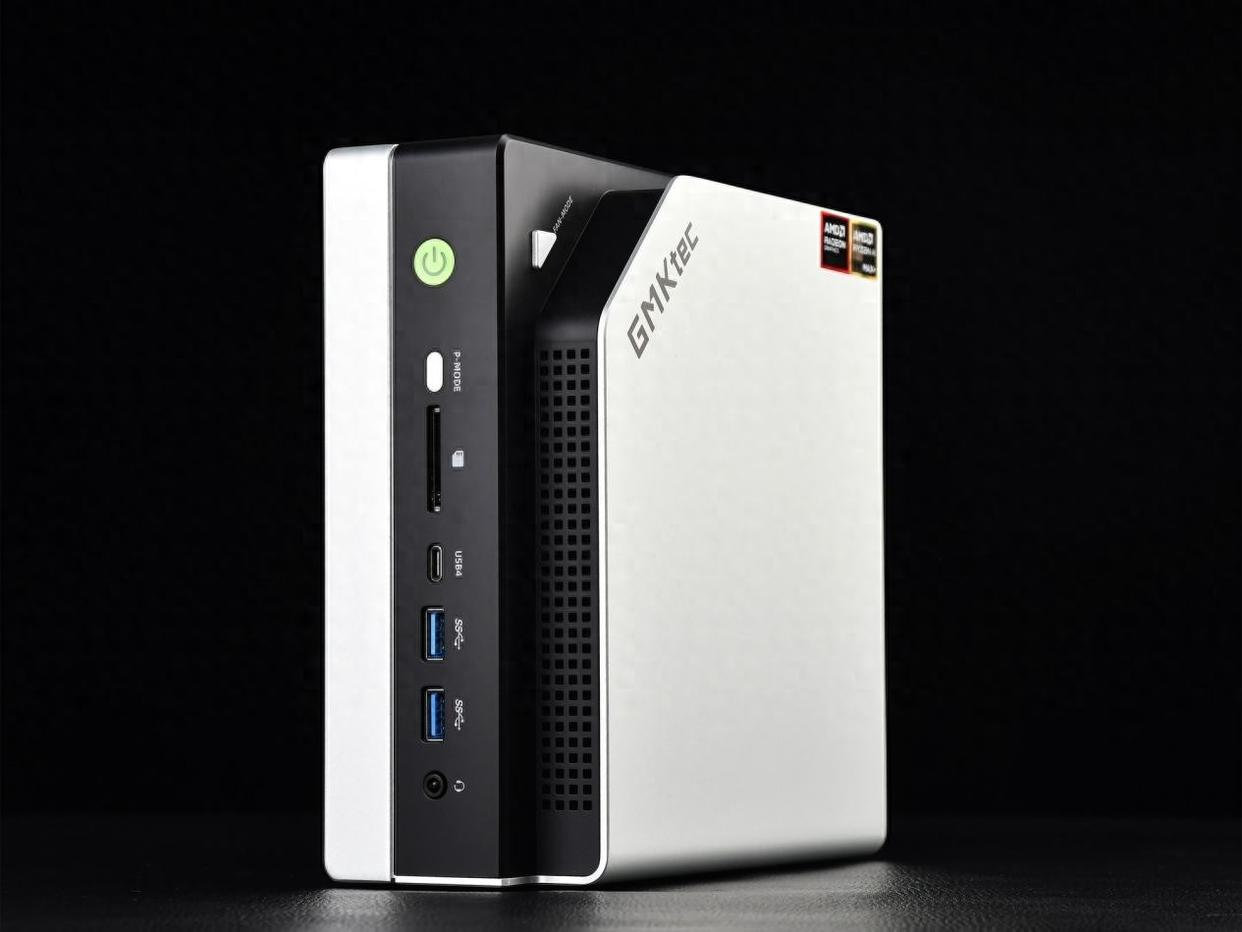
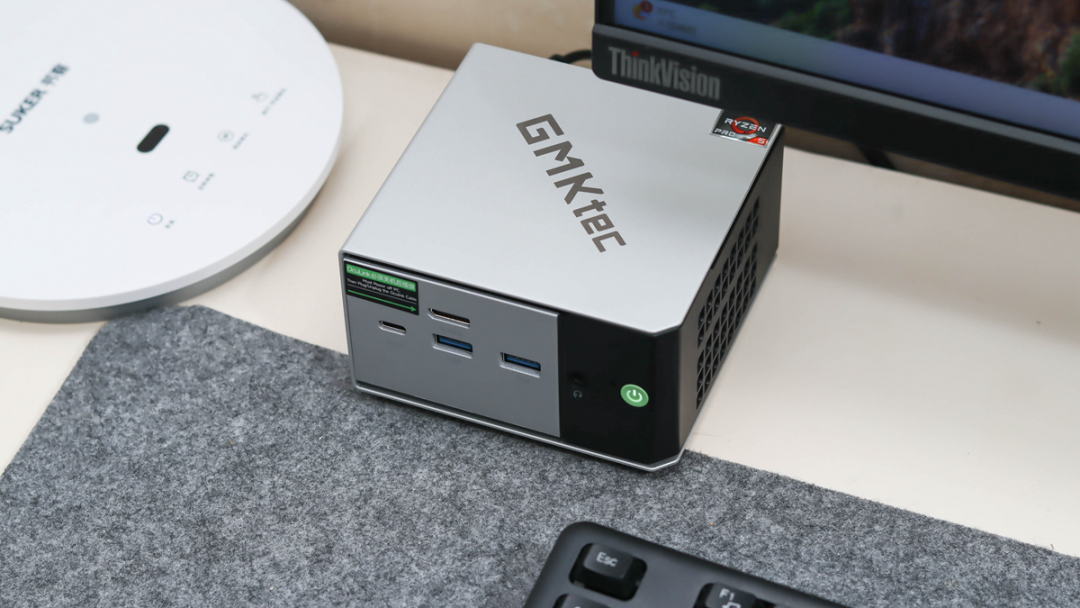
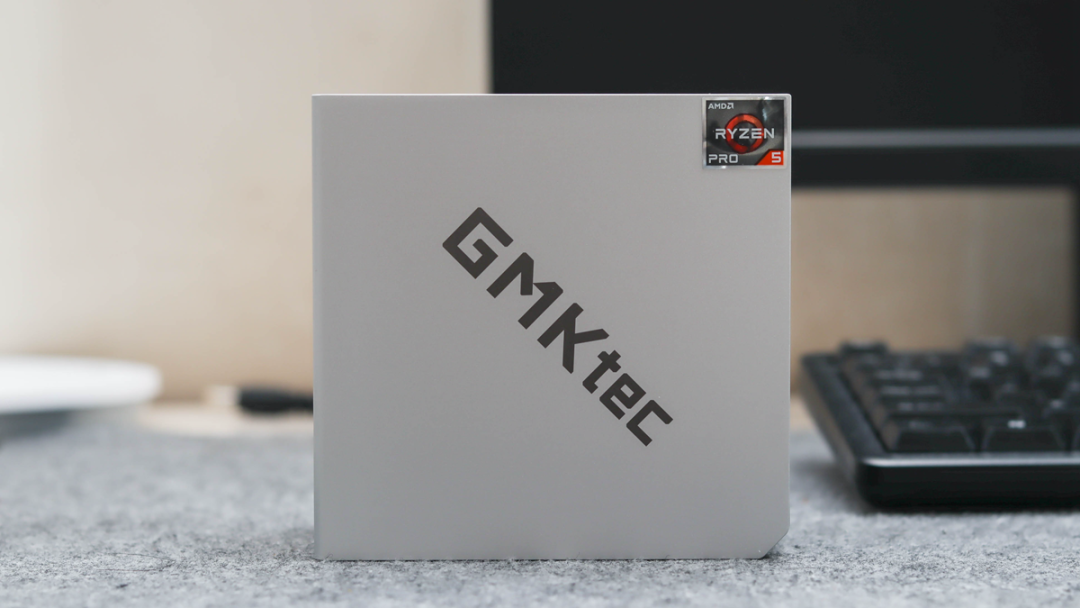
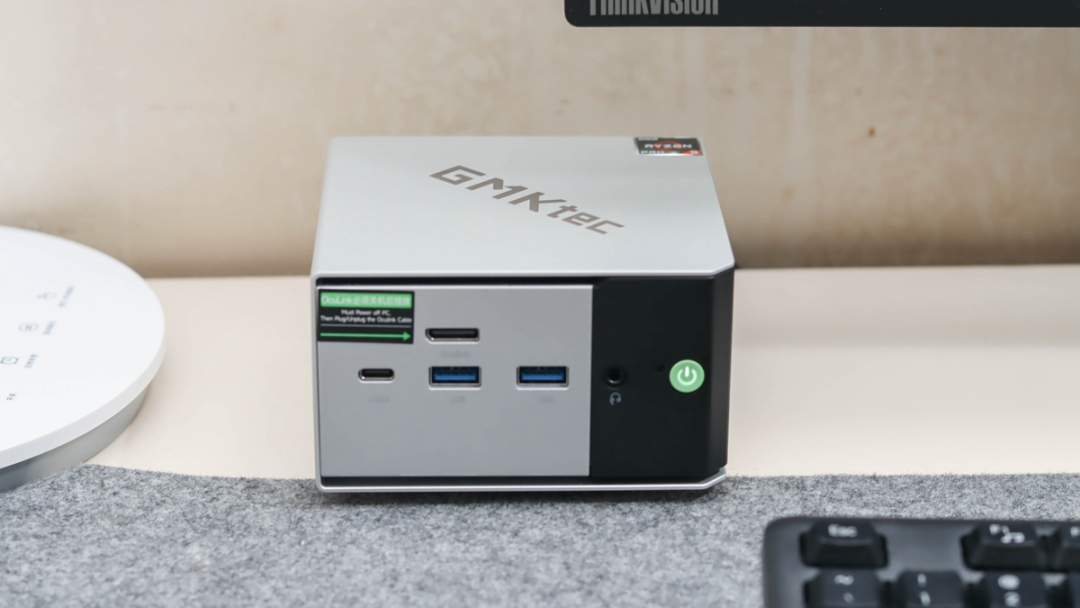
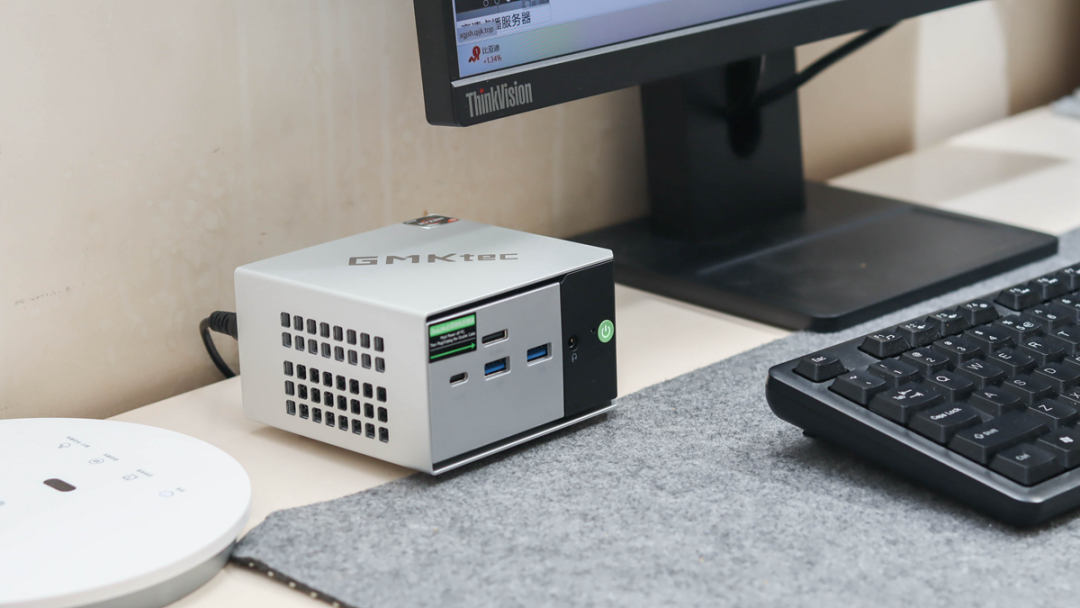
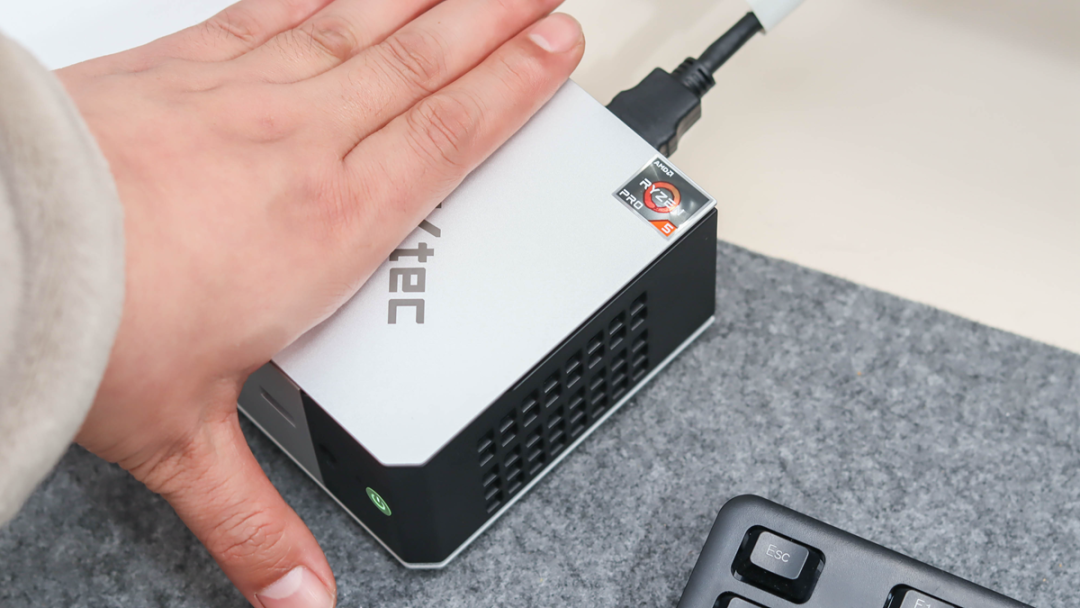
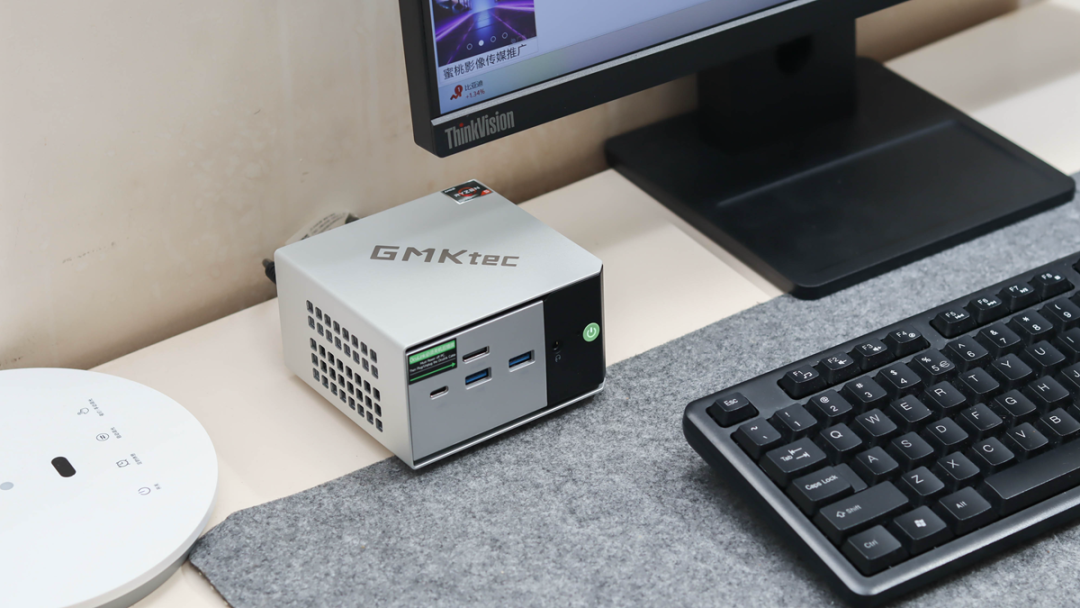
The M8 is shockingly small—smaller than an average adult hand—yet it manages to look premium. It utilizes a "C-shaped" aluminum alloy frame that actually won a Red Dot Design Award. It’s sleek, modern, and easy to hide behind a monitor, but you might want to keep it visible for easy access to its impressive I/O.
The "Secret Weapon" Ports
Most mini PCs in this price bracket give you basic HDMI and USB. The M8 goes strictly "Pro" with its selection:
• Front: 1x OCuLink (PCIe 4.0 x4), 1x USB4 (40Gbps), 2x USB 3.2 Gen 2.
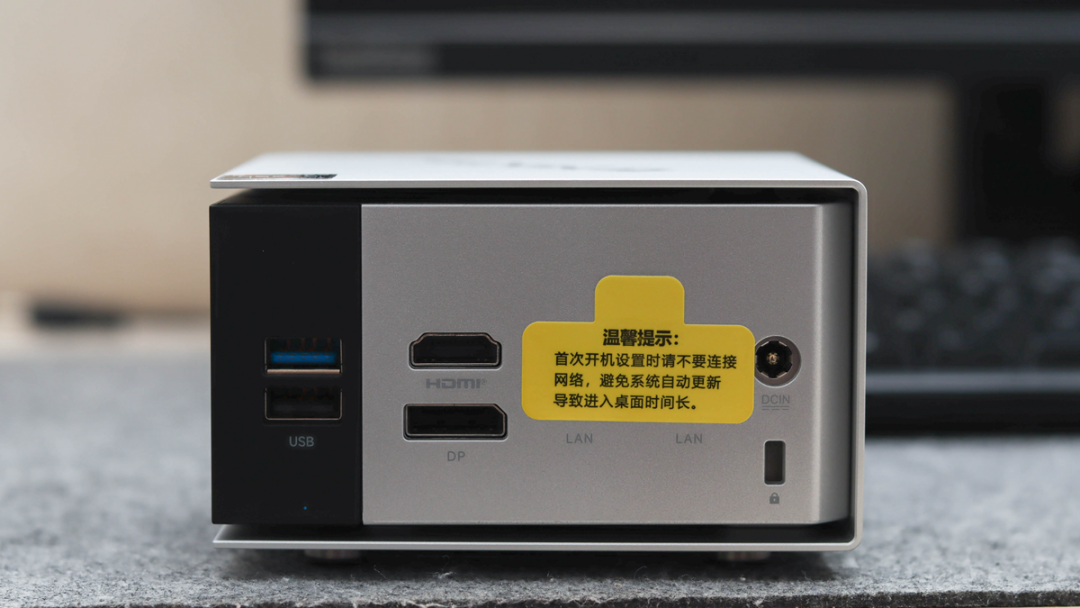
• Rear: Dual 2.5GbE Ethernet, HDMI 2.0, DisplayPort 1.4, and additional USB ports.
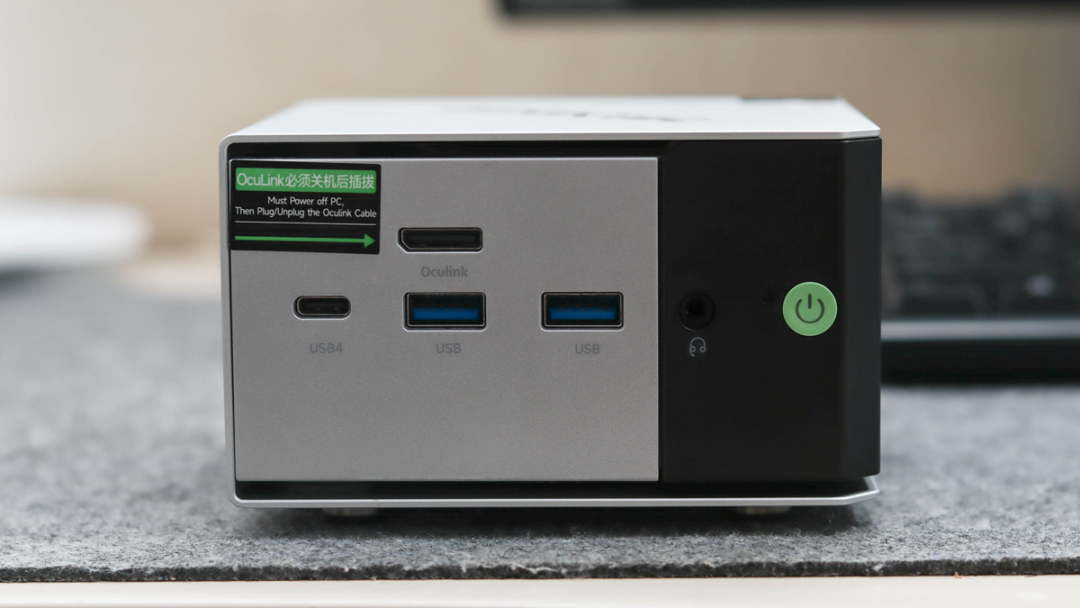
The inclusion of OCuLink is the headline feature here. It allows you to connect an external GPU dock with significantly less data loss than Thunderbolt or USB4. If you plan on turning this into a gaming rig later, that port is a game-changer. Plus, with HDMI, DP, and USB4, you can natively drive a triple-monitor setup (up to 8K), which is massive for productivity power users.
--------------------------------------------------------------------------------
Internals and Upgradability
Let’s address the elephant in the room: The RAM is soldered. The system comes with 16GB of LPDDR5-6400MHz memory. This is high-speed memory that helps the integrated graphics perform better, but you are stuck with 16GB forever. For most users running Windows 11, Office, and a browser, this is plenty. However, virtualization heavy-hitters might find this limiting.
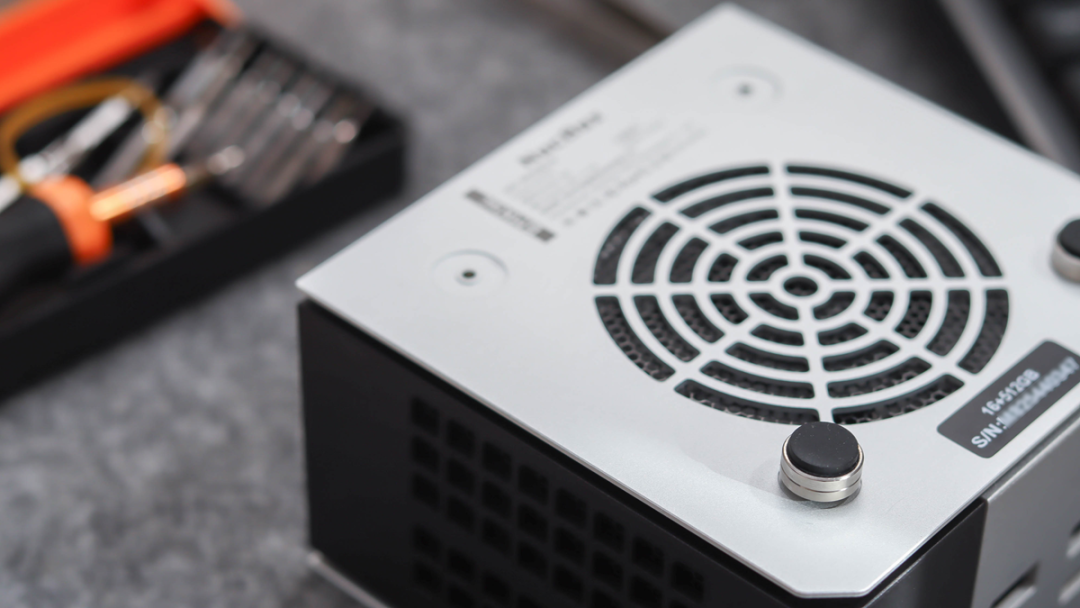
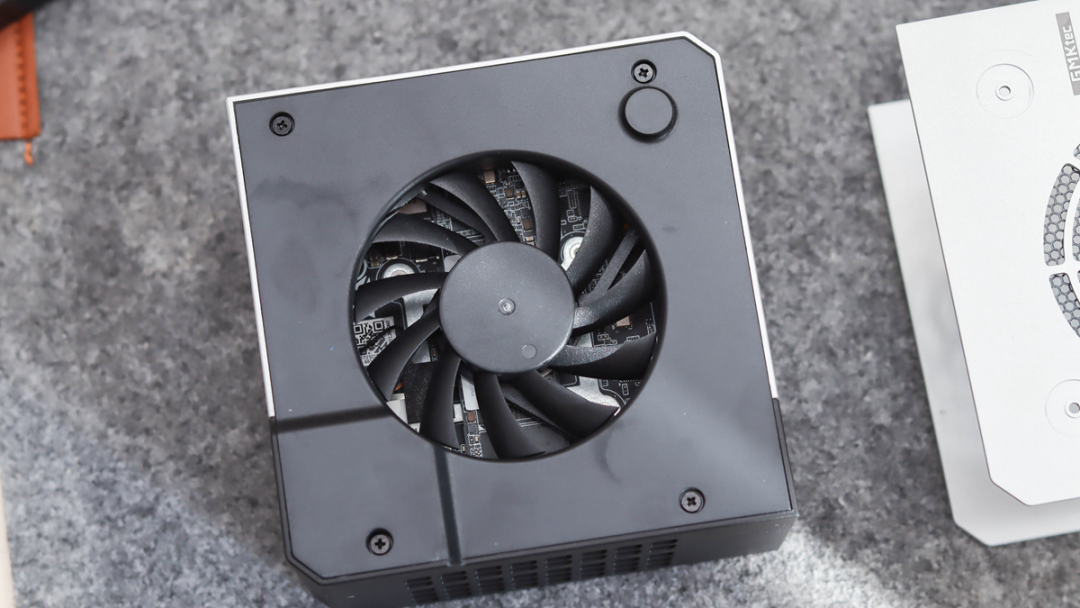
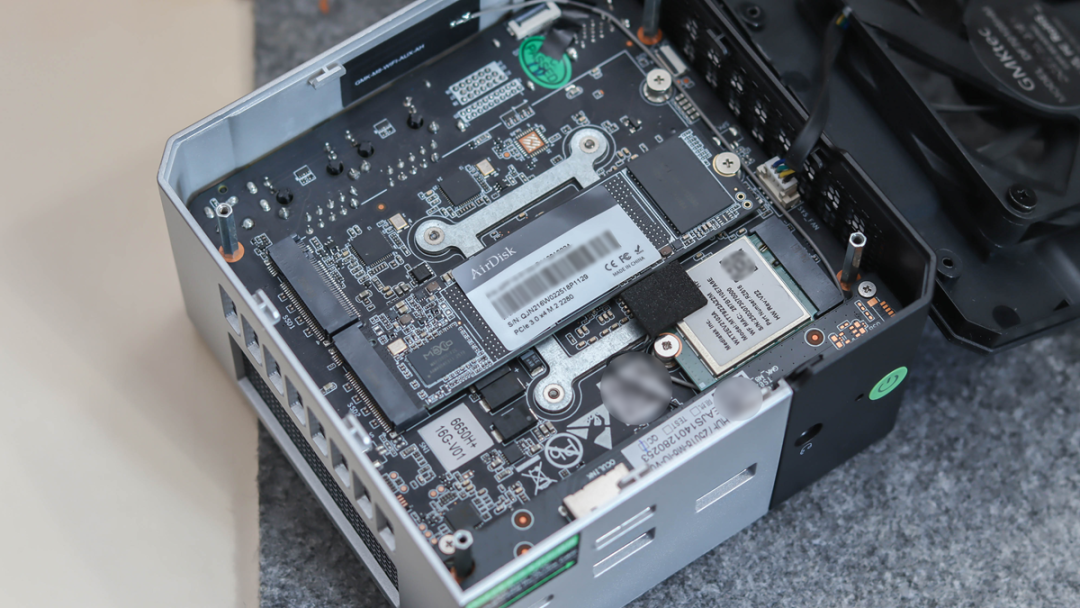
Storage is a different story. Cracking open the case (via four screws under the rubber feet) reveals excellent storage flexibility. You get:
• Dual M.2 Slots: It supports PCIe 4.0 NVMe SSDs.
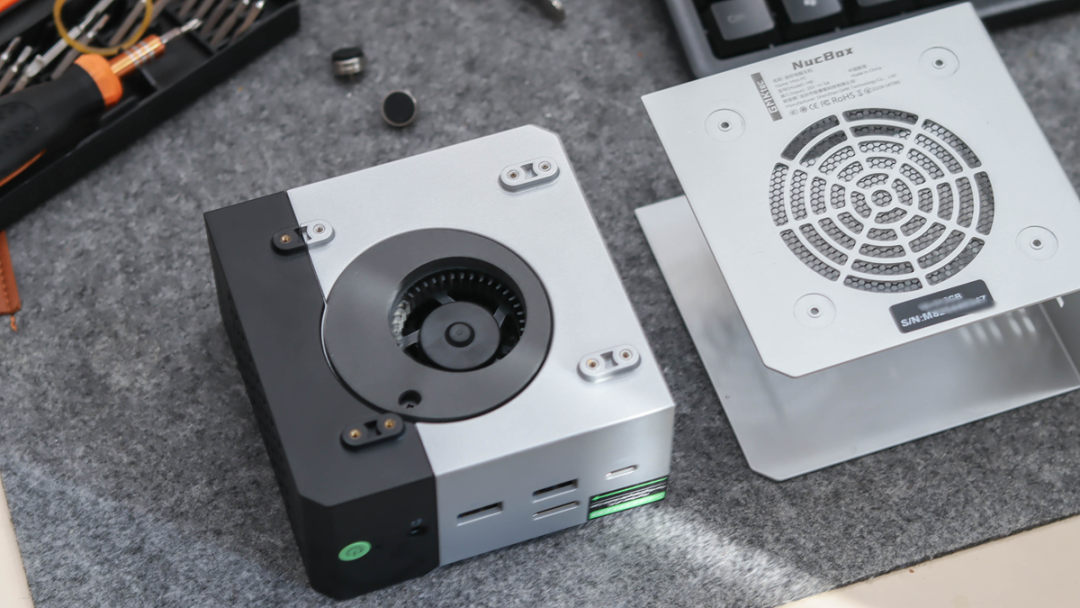
• Capacity: You can expand up to 16TB total storage.
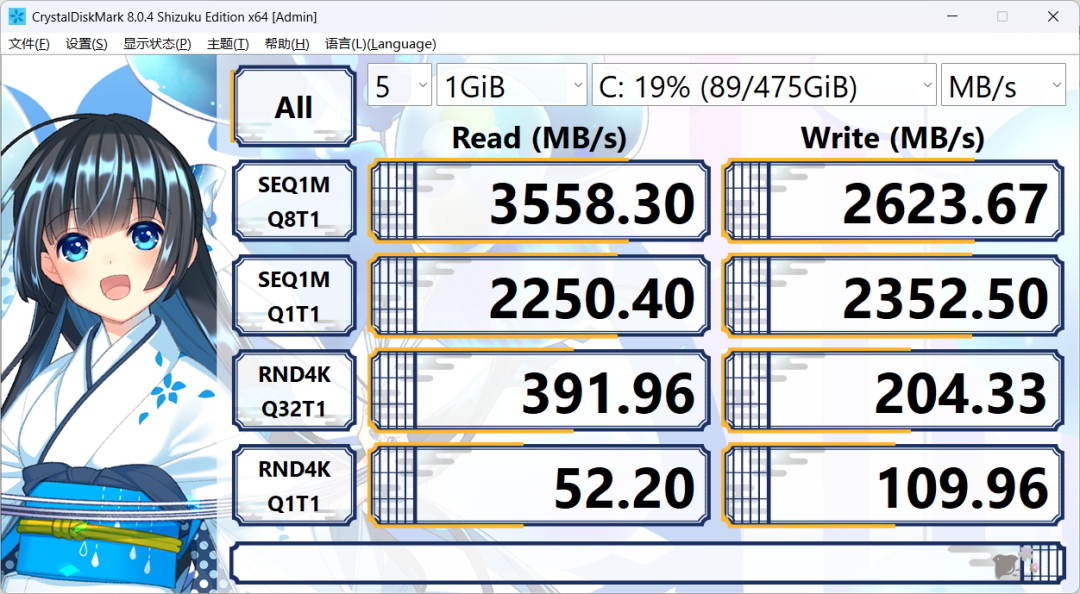
In benchmark tests using CrystalDiskMark, the stock 512GB SSD hit read speeds of 3,558 MB/s and write speeds of 2,623 MB/s. It’s snappy, responsive, and more than fast enough for daily OS operations.
--------------------------------------------------------------------------------
Performance: Productivity vs. Gaming
Productivity & Daily Driver
Powered by the Ryzen 5 PRO 6650H (6 Cores / 12 Threads, Zen 3+ architecture), the M8 is a multitasking beast for the price.
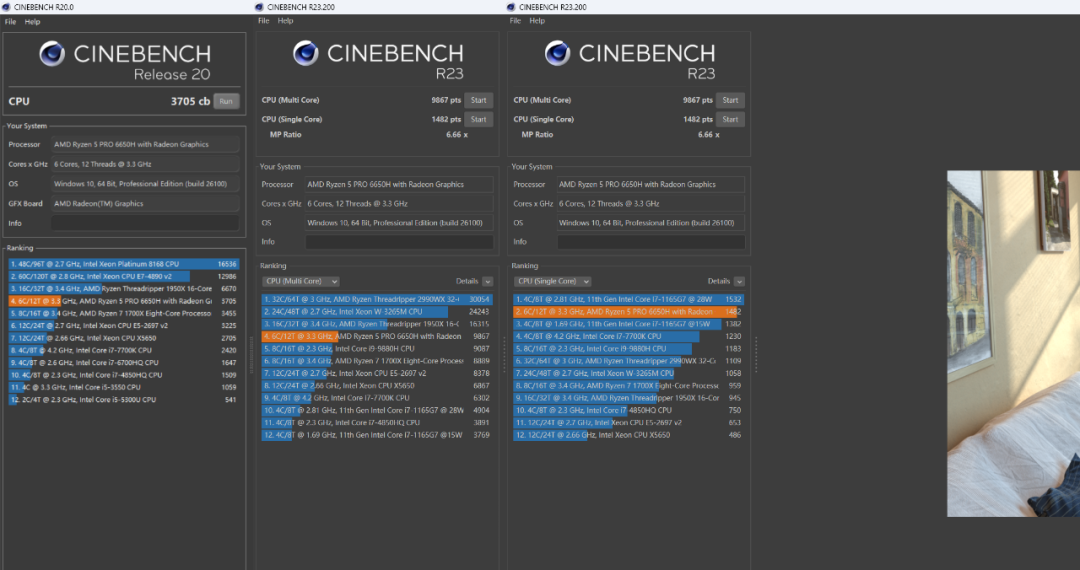
• Cinebench R23: Single-core scores around 1,482 and multi-core hits nearly 9,900.
• Real-world feel: Whether it's Photoshop, Lightroom, or editing 1080p/4K video clips in DaVinci Resolve, the timeline remains smooth. The 6nm efficiency ensures it doesn't throttle under standard office loads.
Gaming Performance
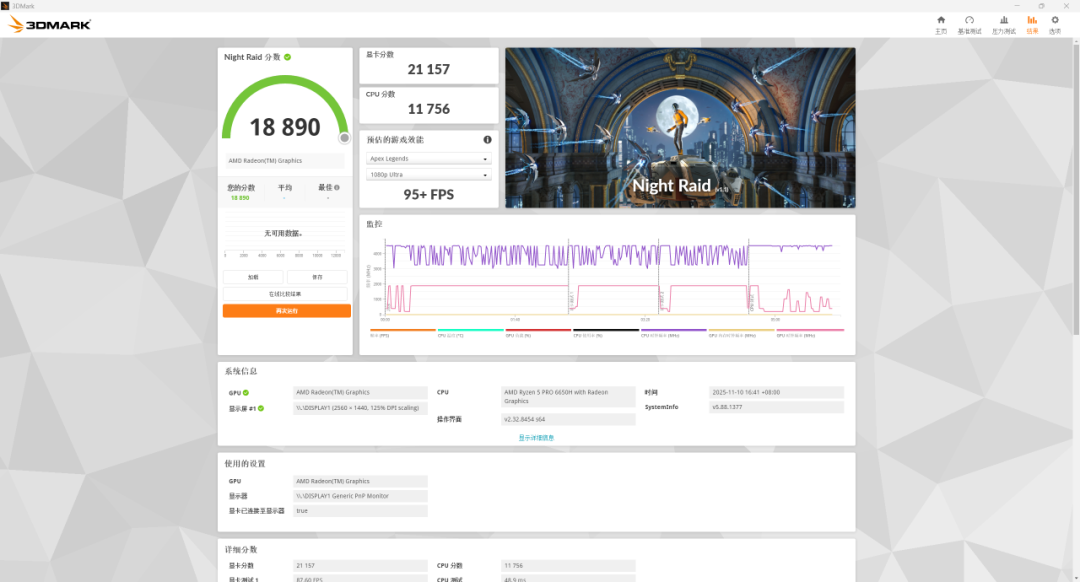
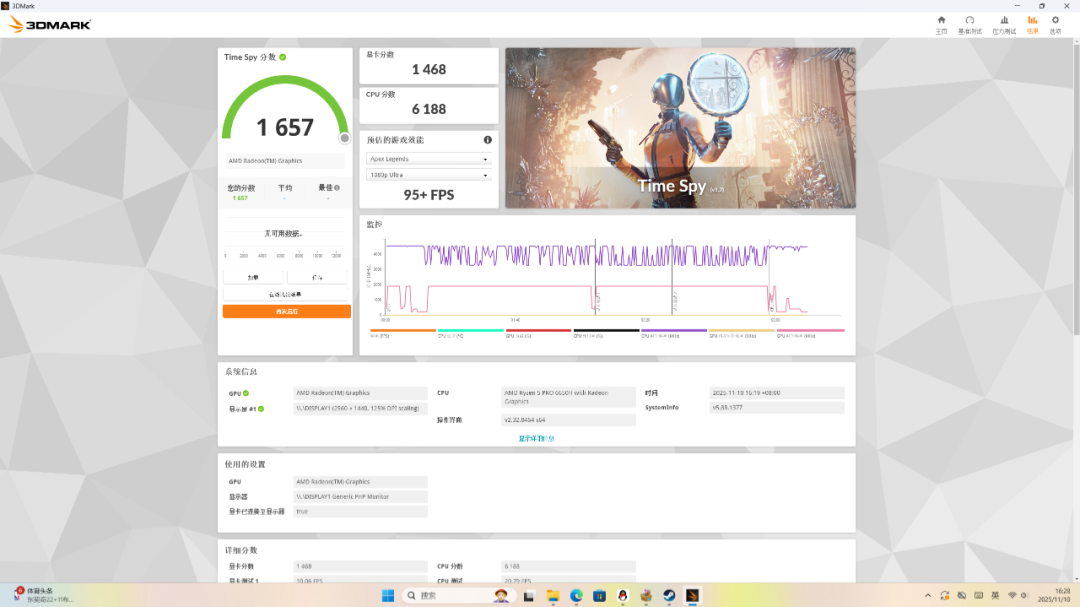
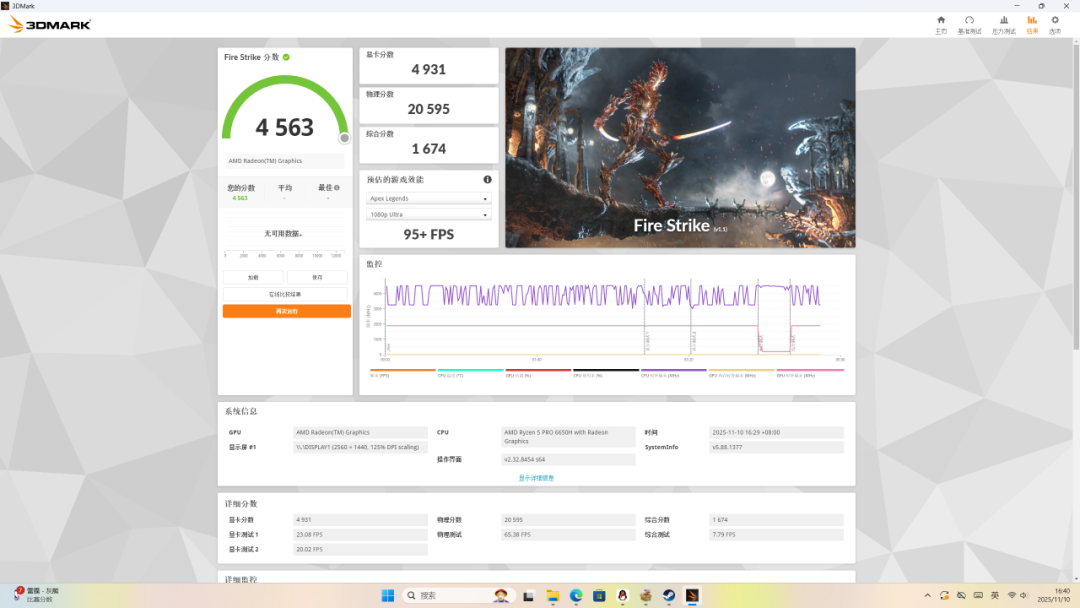
The integrated Radeon 660M graphics are decent, but temper your expectations. This is not a native 4K gaming machine.
• eSports (CS2, League of Legends): You can expect smooth 1080p gameplay. League of Legends runs comfortably over 170 FPS, and CS2 hovers around 120 FPS on optimized settings.
• Genshin Impact: Playable at Medium settings (~41 FPS), but you’ll want to drop to Low settings for a locked 60 FPS experience.
• AAA Titles (Cyberpunk 2077): This is where the iGPU hits a wall. You’re looking at 720p Low settings to get playable framerates (30-40 FPS).
However, thanks to that OCuLink port, you can dock a desktop graphics card (like an RTX 3060 or RX 7600) and turn this into a high-end gaming rig when you’re at your desk.
--------------------------------------------------------------------------------
The Home Lab Angle: A Perfect Soft Router?
While marketed as a PC, the M8 is secretly one of the best value propositions for home server enthusiasts.
• Dual 2.5GbE Ports: This allows you to set the device up as a hardware firewall (WAN in, LAN out) or use Link Aggregation for a high-speed NAS setup.
• Low Power: The mobile processor is highly efficient, sipping power compared to a used enterprise server or old desktop tower.
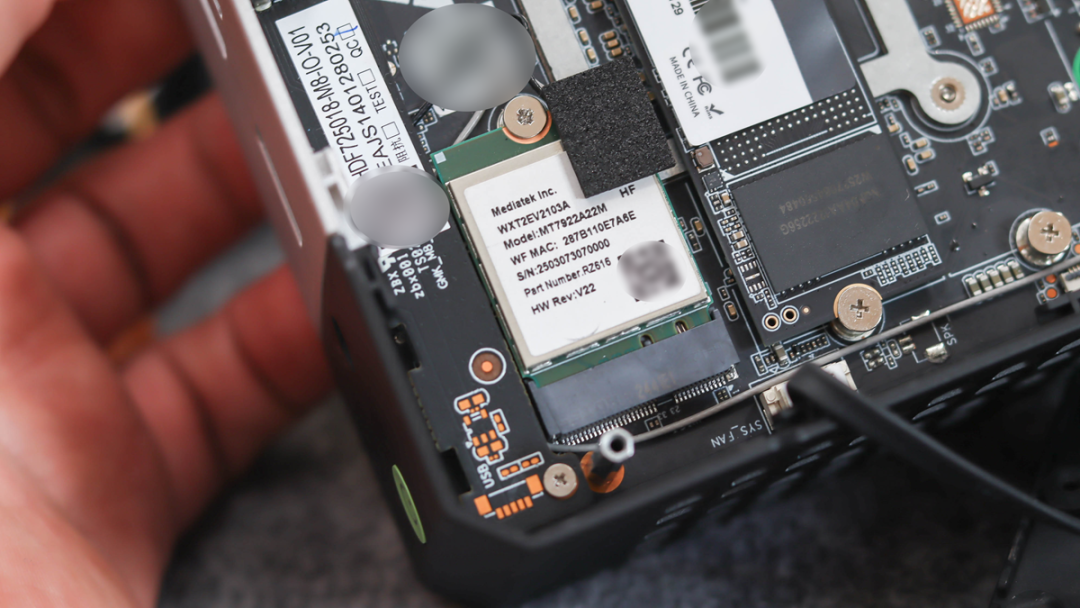
• Wireless: It includes the MediaTek MT7922 chipset for Wi-Fi 6E and Bluetooth 5.2, offering near-gigabit wireless speeds if you can't run a cable.
--------------------------------------------------------------------------------
Thermals and Acoustics
Small PCs often struggle with heat and noise, but the M8’s dual-fan cooling solution does a respectable job.
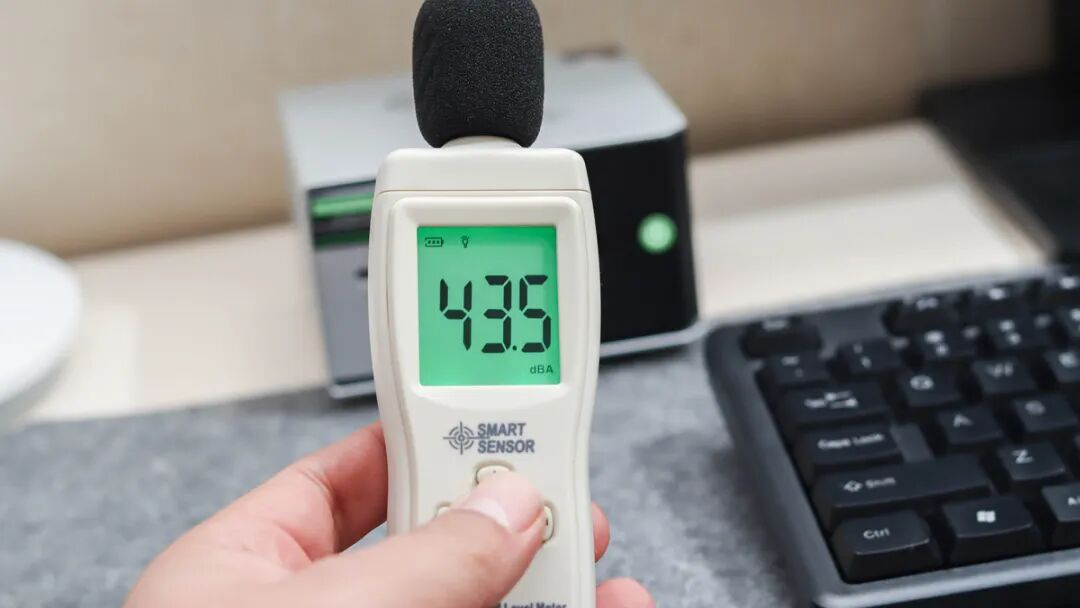
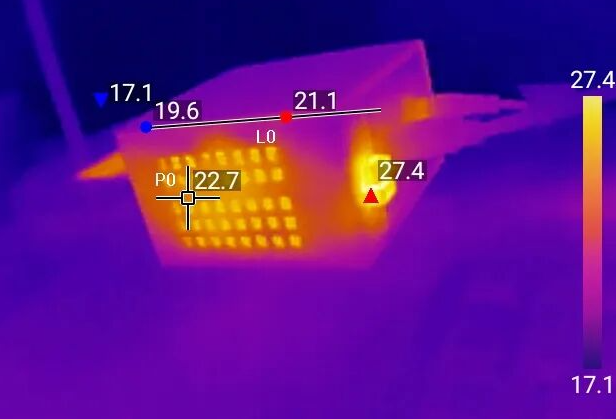
• Temperatures: Under a heavy "stress test" load for 40 minutes, the CPU peaked at 82°C (179°F), well within safe limits for a laptop chip. The external casing remained cool to the touch at around 27°C (80°F).
• Noise: In standard operation, it is whisper quiet. Under full load (Performance Mode), noise levels hit roughly 43.5dB. It’s audible, but not a jet engine—comparable to a quiet library or a running refrigerator.
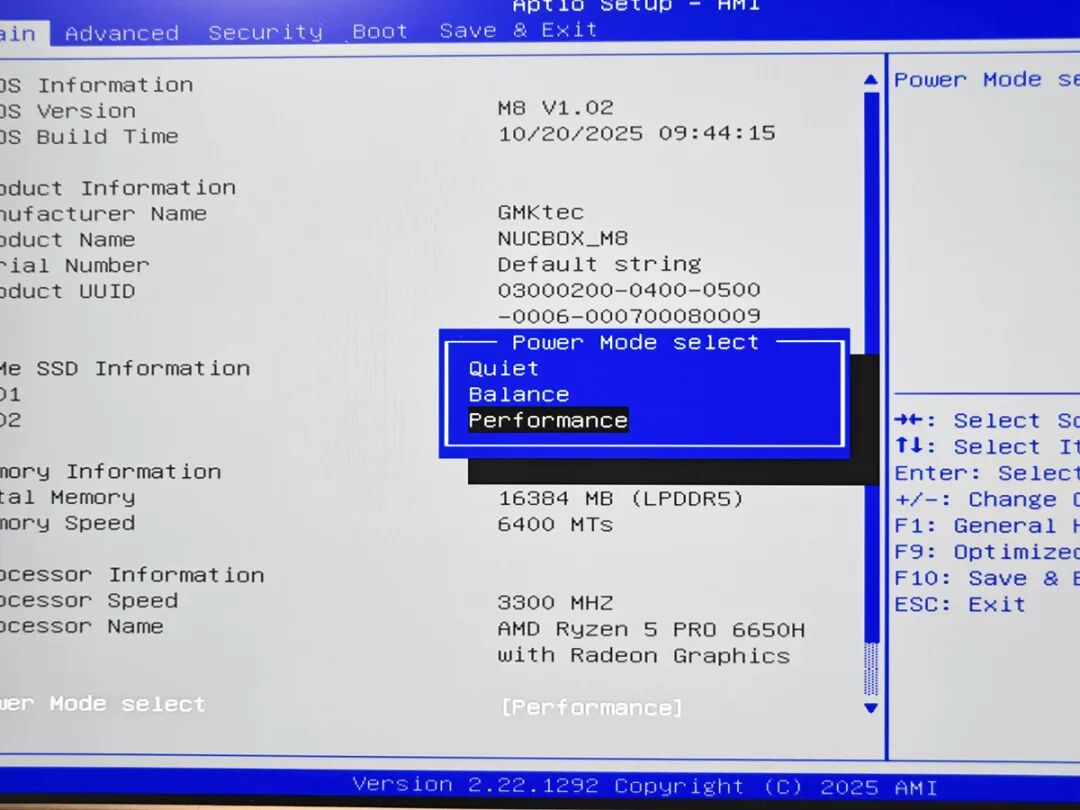
You can also toggle between Quiet, Balanced, and Performance modes in the BIOS to prioritize silence over raw speed.
Conclusion: Is it Worth It?
If you can live with the 16GB RAM limit, the GMKtec M8 is arguably the best value in the mini PC market right now.
It bridges the gap between a basic streaming box and a legitimate workstation. For around 360−480, you are getting a machine that can serve as a daily Windows 11 driver today, and be repurposed as a powerful OPNsense router or Linux home server tomorrow.
Pros:
• Excellent Price-to-Performance ratio.
• OCuLink and USB4 ports are rare at this price point.
• Dual 2.5GbE LAN is perfect for networking projects.
• Compact, award-winning design with good cooling.
Cons:
• Soldered RAM (16GB max).
• Integrated graphics struggle with modern AAA games without an eGPU.
For students, families, and home lab beginners, this little box is an easy recommendation.