1. The Bottom Line (The "Verdict")
• The Hook: Position the device not just as "small," but as a specialized tool for "digital signage," "kiosks," and "tight-squeeze spaces."
• The Reality Check: Acknowledge that while the 0.5L chassis is an engineering marvel, the value proposition relies heavily on its "reliability" and "Enterprise Support" (3-year Advance Replacement warranty) rather than raw performance-per-dollar, where the Mac Mini M4 or AMD-based Beelink units often win.
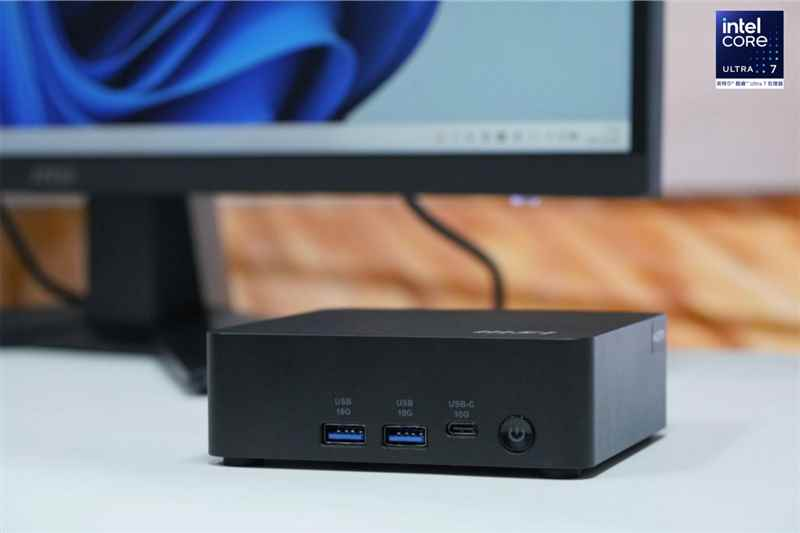
• Pros & Cons Summary:
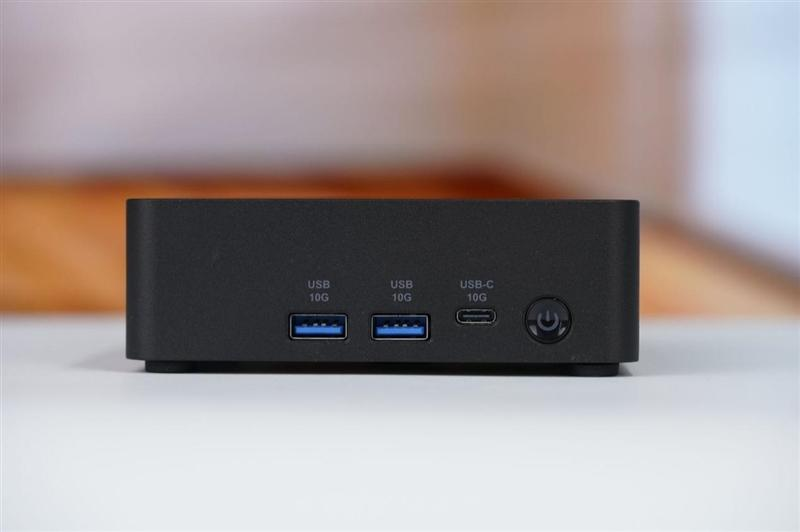
◦ Pros: Extremely compact (0.5L), VESA mountable with external power switch support, Dual 2.5GbE LAN for network redundancy, Thunderbolt 4 connectivity.
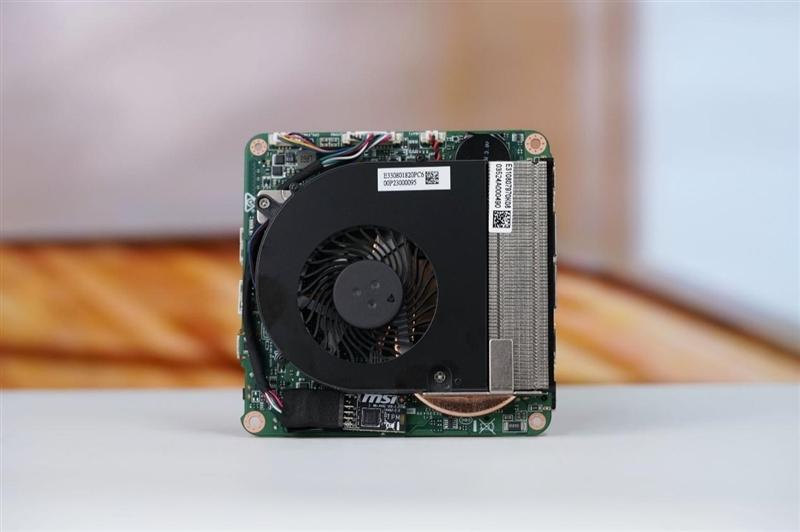
◦ Cons: Soldered RAM on AI models (a critical distinction from the "1M" model), high entry price ($900+), "pulsing" fan noise under load, weaker raw performance than H-series chips.
2. Design & Sustainability: The "0.5L" Advantage
• Volume & Footprint:
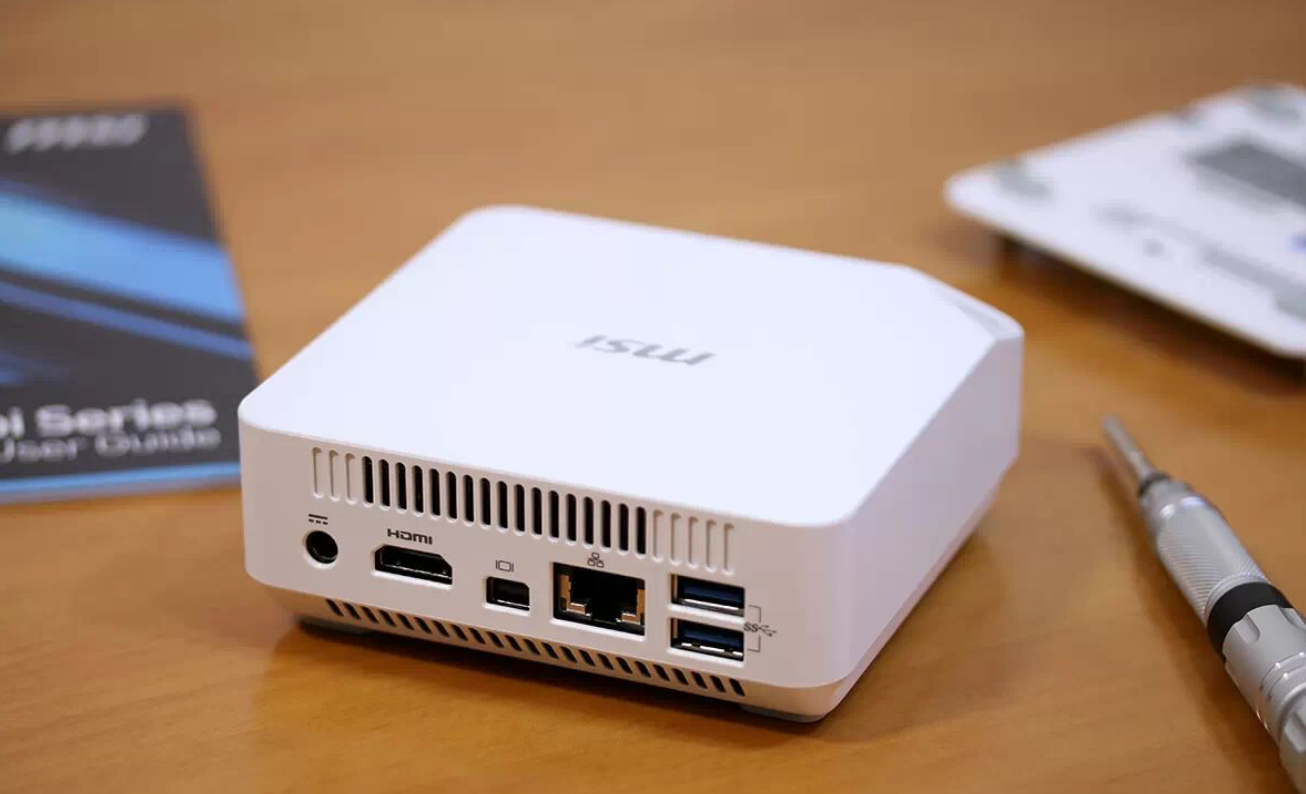
◦ Use your vivid comparison: "1/100th the size of a standard ATX tower."
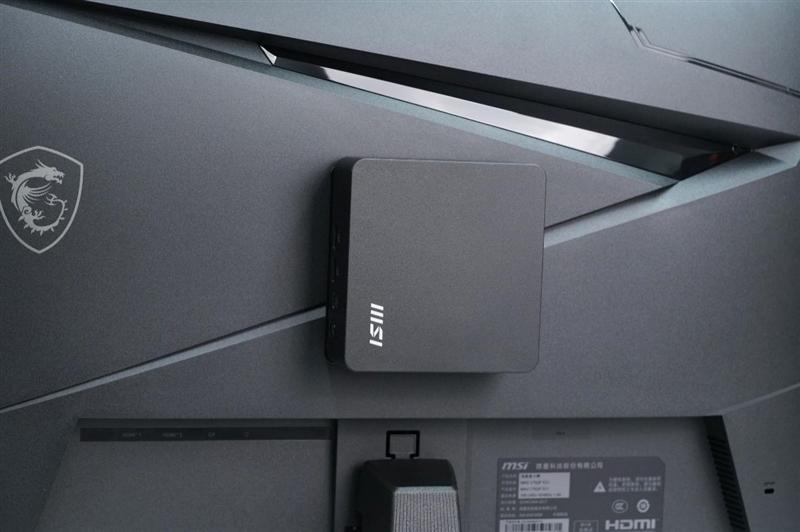
◦ US Context: Frame this as ideal for "stealth installations" behind monitors.
• The "External Power Switch" (Unique Insight):
◦ Context: Highlight this as a major problem solver. It addresses the specific pain point of mounting a unit behind a monitor (VESA) where the power button becomes hard to reach—a practical detail US IT managers love for kiosk deployment.
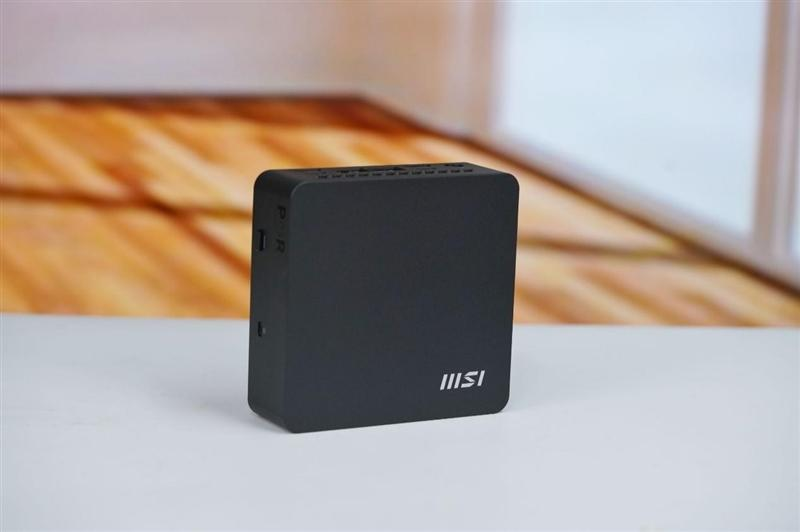
• Sustainability: Highlight the "Post-Consumer Recycled (PCR) plastics" (37% of chassis) and "FSC-certified packaging." This is a major selling point for corporate ESG (Environmental, Social, and Governance) compliance.
3. Connectivity Ecosystem: Redundancy & Ergonomics
• Enterprise Networking:
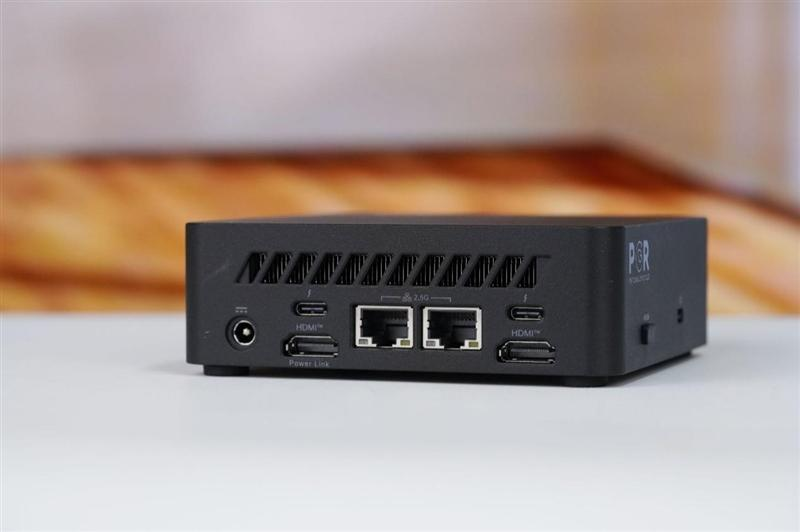
◦ Focus on the Dual 2.5GbE LAN ports.
◦ US Context: Don't just list specs; explain the use case for "Network Redundancy" or "Link Aggregation"—separating internal intranets from the public internet for security, or running a pfsense/firewall home lab setup.
• Thunderbolt 4 & Multi-Monitor:
◦ Highlight the ability to drive 4 displays at 4K/60Hz. This is critical for financial traders or dispatchers.
• The "Power Link" Feature:
◦ Explain MSI's "Power Link" (HDMI CEC) feature.
◦ US Context: Frame this as a "One-Touch" workspace solution, allowing users to boot the system simply by turning on their monitor, similar to an All-in-One (AIO) experience.
4. Performance Analysis: "V-Class" Efficiency vs. Raw Power
• Architecture Explained:
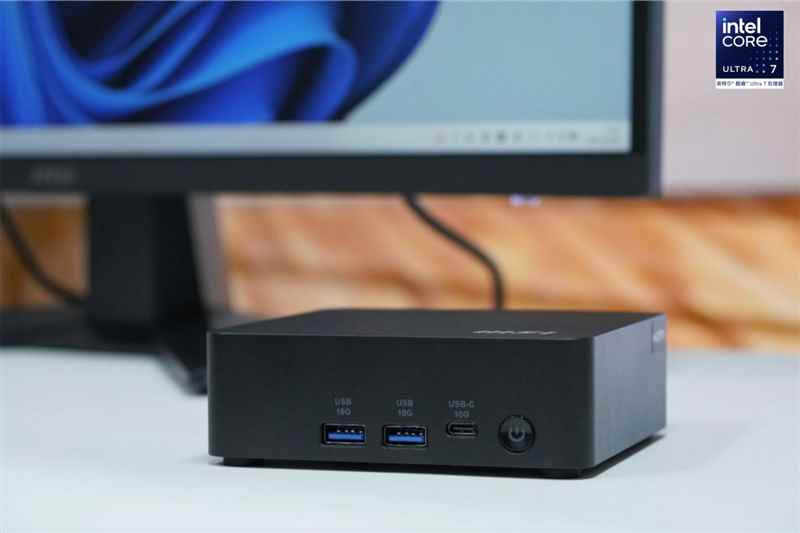
◦ Clarify that the AI+ model uses Intel’s "Lunar Lake" (Series 2), which are "V-class" processors.
◦ The Trade-off: Explain that these chips prioritize power efficiency and NPU (AI) tasks over the raw horsepower found in the "H-series" chips used by competitors like the Asus NUC 15 Pro+.
• The AI Factor (Copilot+):
◦ Discuss the NPU (48 TOPS) and the physical "Copilot key."
◦ Verdict: It enables local AI workloads like Live Captions and Recall, but for current users, it represents "future-proofing" rather than immediate utility.
• Gaming Reality Check:
◦ Correction: While the GTX 1050 Ti comparison is optimistic, note that real-world tests often show "unstable frame times" or stuttering in AAA games. Frame this as "Capable of light indie gaming (Hades, Dota 2)" but not a gaming rig.
5. Thermal Acoustics & Power Consumption (Home Lab Focus)
• Power Draw (Unique Data):
◦ Highlight the 8.6W idle power draw vs. the 60-80W of a standard desktop.
◦ US Context: This makes it perfect for a "Plex Media Server" or "Blue Iris" security camera node running 24/7 without spiking the electric bill.
• The "Pulse" Noise Issue:
◦ Address the "pulsing fan" complaint found in technical reviews.
◦ Nuance: Explain that while it is quiet at idle, high-load scenarios (rendering/compiling) can cause the fan to ramp up and down distractingly. Recommend it for office environments (where ambient noise masks it) rather than silent recording studios.
6. Maintenance & Upgradability (The "1M" vs "AI+" Distinction)
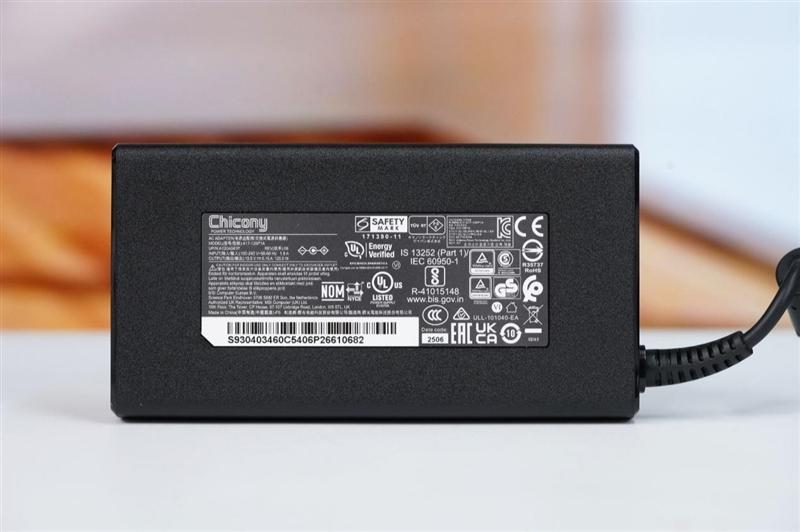
• The "Soldered RAM" Warning:
◦ Critical Distinction: Clearly state that the Cubi NUC AI+ (Series 2) has soldered RAM that cannot be upgraded.
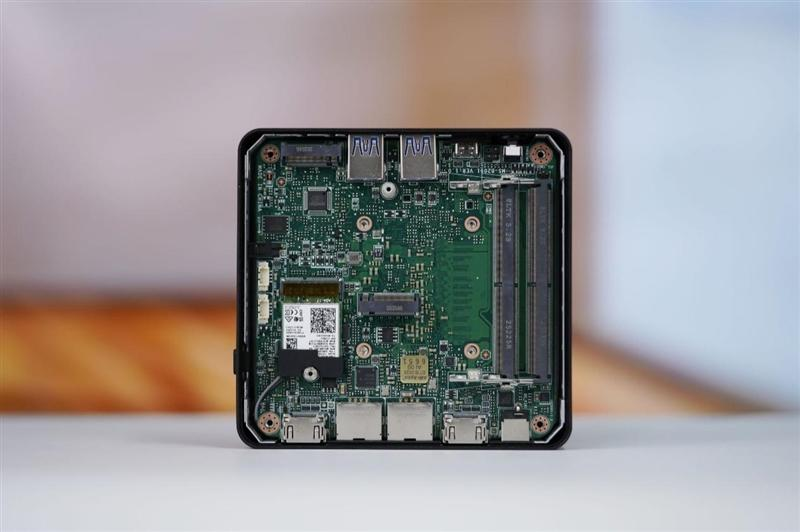
◦ The Alternative: Contrast this with the Cubi NUC 1M (Series 1), which does have upgradeable SODIMM slots.
• Storage Flexibility:
◦ Highlight the insight on the Dual M.2 slots + 2.5" SATA bay (on the 1M model), offering "Server-grade storage flexibility" in a tiny box.
7. Final Recommendation: Who is this for?
• Buy it if:
◦ You are an Enterprise IT Manager needing a secure, vPro-enabled endpoint for digital signage.
◦ You need a "Set it and forget it" Home Server (Blue Iris/Plex) with low idle power.
• Skip it if:
◦ You are a Value-Seeker or Gamer. (Reference the Mac Mini M4 or cheaper AMD alternatives like Beelink/GMK that offer better raw performance for $300 less).