This mini PC is worth buying if you're a light content creator tired of laptop compromises and willing to spend $2,600–3,000 USD for a fixed but expansive setup; skip it if you need portability or have a tight budget under $2,000, and consider alternatives if you demand top-tier gaming performance.
Quick Pros & Cons
PROS | CONS |
|---|---|
Dramatically frees up desk space; integrates seamlessly behind monitors | Requires external display, keyboard, and mouse—not portable like a laptop |
Rich connectivity: dual HDMI, Thunderbolt 4, USB-C, gigabit Ethernet | No battery; loses all power instantly when unplugged |
Quiet and stable under sustained load; thermal management exceeds thin-and-light laptops | Storage expandable but still limited out-of-box (512GB base model) |
Solid upgrade path: RAM and NVMe slots accessible, even wireless module replaceable | Demands initial investment in peripherals; setup requires desk planning |
Handles simultaneous video editing, photo retouching, and multitasking smoothly | – |
Setting the Scene: Why I Made the Switch
For the past two years, I relied on a lightweight laptop for all my content creation work—cutting videos in Premiere Pro, writing articles, light photo editing in Photoshop, and jumping between meetings. The device was never weak, but I hit two walls that gnawed at me constantly.
First, the 14-inch screen was cramping my workflow. Editing timelines on such tight real estate meant squinting, zooming constantly, and burning out my eyes by day's end. I'd find myself positioning the laptop at awkward angles just to see what I was working on.
Second, the expansion nightmare. Every external peripheral—USB-C dock, monitor, mobile hard drive, audio interface—came with its own dongle or converter. My desk started looking like a charging station, with cables snaking everywhere, external cooling pads occupying prime real estate, and the whole setup feeling like controlled chaos instead of a professional workspace.
So I made the leap: I boxed up that trusty ultrabook and replaced it with the Gigabyte BRIX mini PC. The processor was no speed demon compared to modern laptop chips, but after two weeks of living with it, the idea of going back made me genuinely uncomfortable. Something fundamental had shifted in how I work.
Design & Build: Deceptively Pocket-Sized
Opening the Box
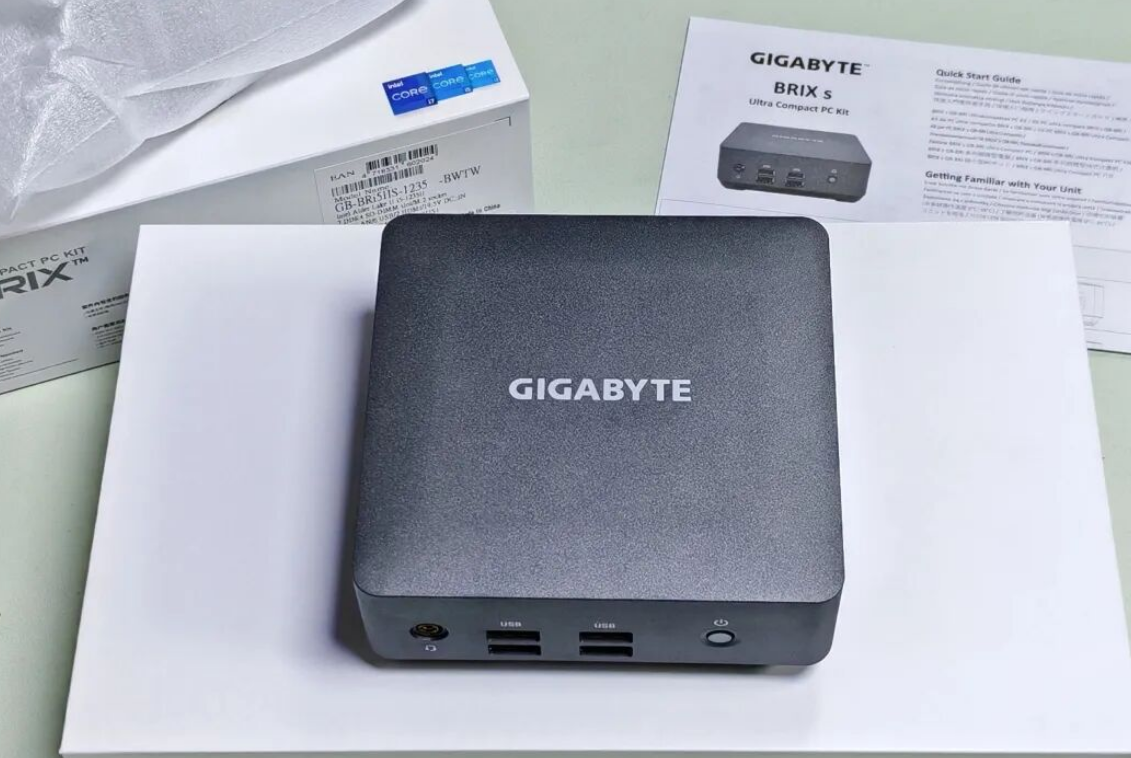
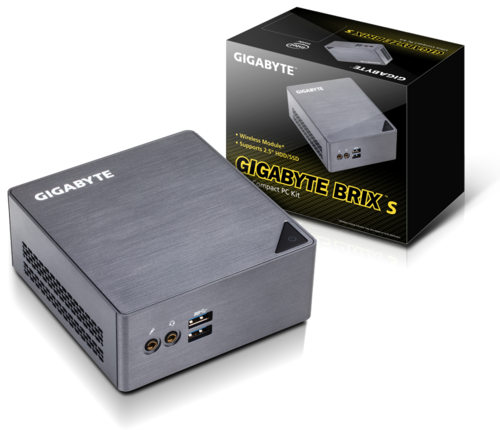
The first moment I held this machine, my instinct was: "Can something this small actually work?" The BRIX GB-BEi7H-1260 is roughly the size of a thick paperback—my palm could cradle it without any strain. It's barely taller than my old laptop's power adapter.
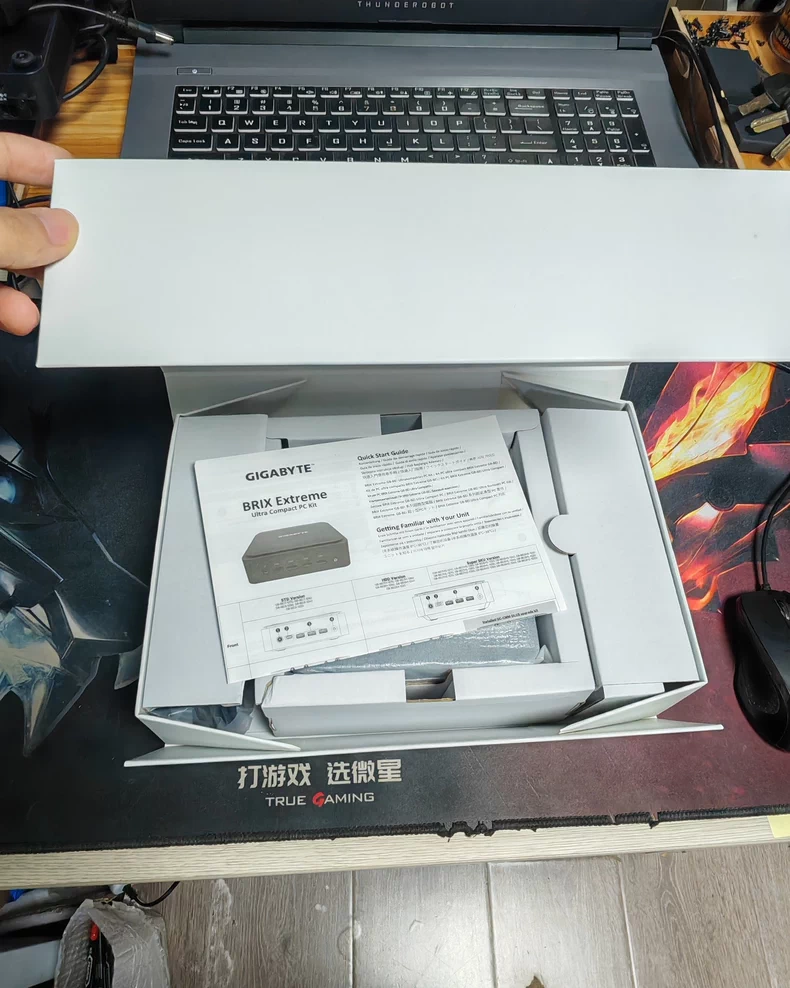
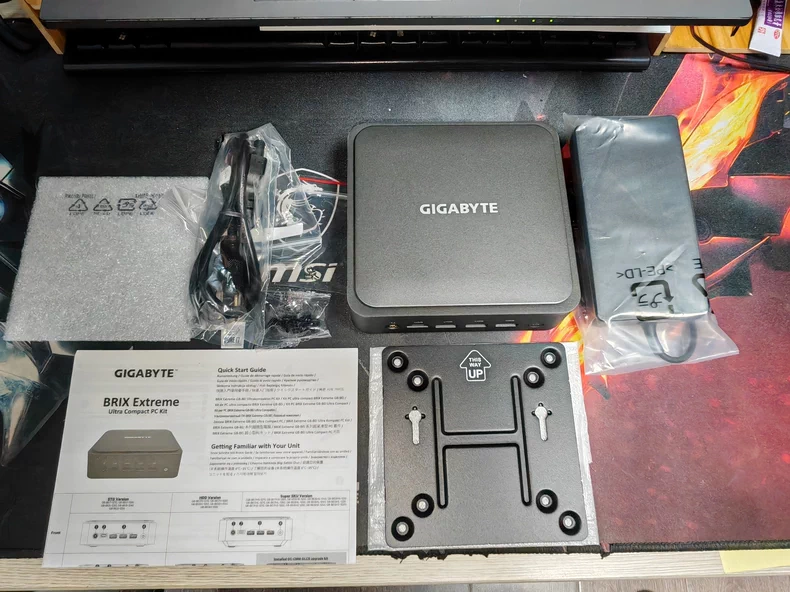
Gigabyte didn't include any frivolous extras, which I appreciated. The package contains the main unit, a compact 65W power adapter, basic documentation, a VESA mounting bracket with hardware, and power cable. Everything included had a clear purpose; nothing screamed "padding." If you plan to mount it behind your display, that VESA bracket immediately pays for itself—no dangling cables, no secondary support structures cluttering your sightline.
The industrial design philosophy here is austere: enough, not excess. It aligns perfectly with the mini PC category's core promise—liberation from bulky equipment.
Physical Dimensions & Desk Integration
I positioned this machine in the corner behind my 27-inch monitor using the VESA mount. The transformation was immediate. Before, my desk was a tangle of a laptop stand, external dock, scattered USB hubs, and coiled cables. Now, my workspace contained only the monitor, keyboard, mouse, and a wireless speaker. The psychological shift from "cluttered desk, scattered attention" to "clean desk, focused mind" was more profound than I expected.
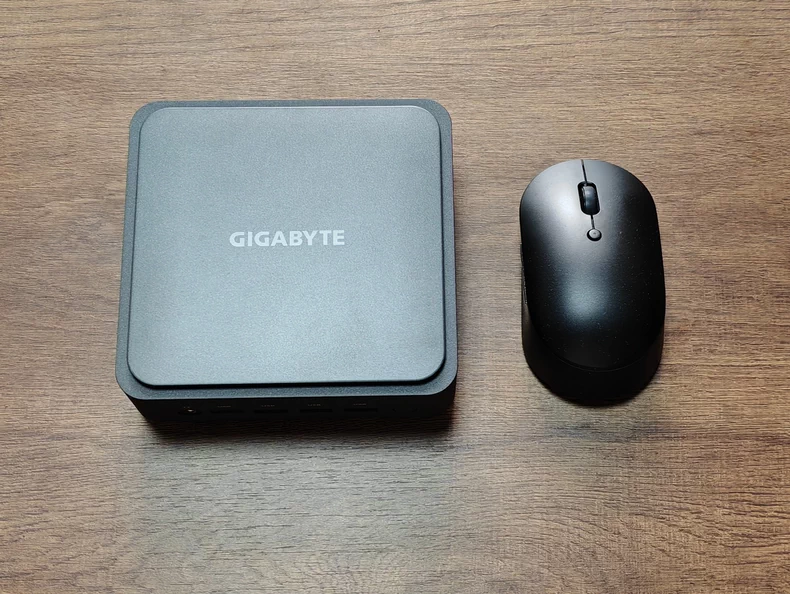
When I placed the BRIX alongside my old ultrabook for comparison, the physical contrast crystallized why this purchase made sense. The laptop, even "slim" by modern standards, had taken up substantial footprint. This machine—you could hide it in a desk drawer if you wanted to.
The Acceptance: You lose the ability to throw everything in a backpack and work from a coffee shop. But for anyone spending 60–80% of their work time at a fixed desk, that trade-off is liberating rather than limiting.
Performance & Real-World Experience
CPU & Thermal Behavior
The configuration I tested arrived with an Intel Core i7-1260P (8 cores, 16 threads), 16GB DDR4 RAM (2×8GB), and a 512GB PCIe 4.0 NVMe SSD. The 1260P is a mobile processor from Intel's 12th generation, designed for power efficiency in laptops, yet Gigabyte has given it enough breathing room here that it behaves more like a desktop CPU.
In idle conditions (web browsing, email, light document work):
CPU remained at 50–55°C
System power draw: 3–5W
Fan noise: virtually inaudible
During sustained heavy workload (single-core FPU stress test):
CPU temperature spiked to 95°C initially
Power consumption climbed to 35W
Temperature stabilized around 80–82°C within seconds
Thermal throttling kicked in automatically, cutting power to ~28W
In real-world multitasking (Premiere Pro video timeline navigation + Photoshop layer adjustments + Chrome with 8–10 tabs open):
CPU hovered between 60–75°C
No stuttering, no frame drops, no spinning beach ball
Responsiveness felt snappy, not laggy
I ran Lumaster benchmarking (similar to 3DMark), and the system posted a composite score of approximately 999,848—respectable for this class. CPU-Z confirmed stable single-core and multi-core performance with no unexpected downclocking. The built-in Intel Iris Xe Graphics (96 execution units) handles 4K video playback and basic 3D rendering without hiccups.
What this means for your daily work: If you're editing 1080p or 4K H.264 proxy files, the experience is noticeably faster than my old laptop. The machine doesn't sound like it's taking off (my previous ultrabook would spin its fans into an audible whine after 10 minutes of Premiere Pro). More importantly, I can leave it running overnight without worrying about thermal damage—the BRIX self-regulates intelligently.
Connectivity & I/O Expansion
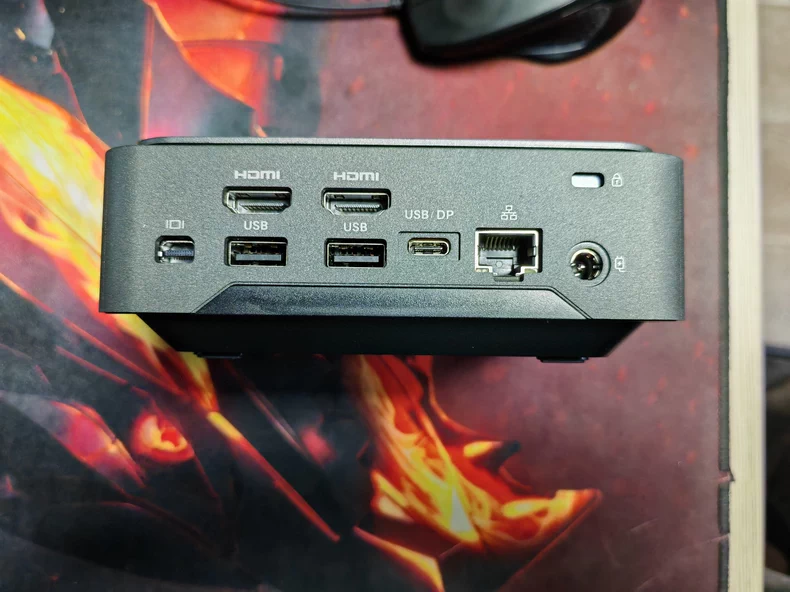
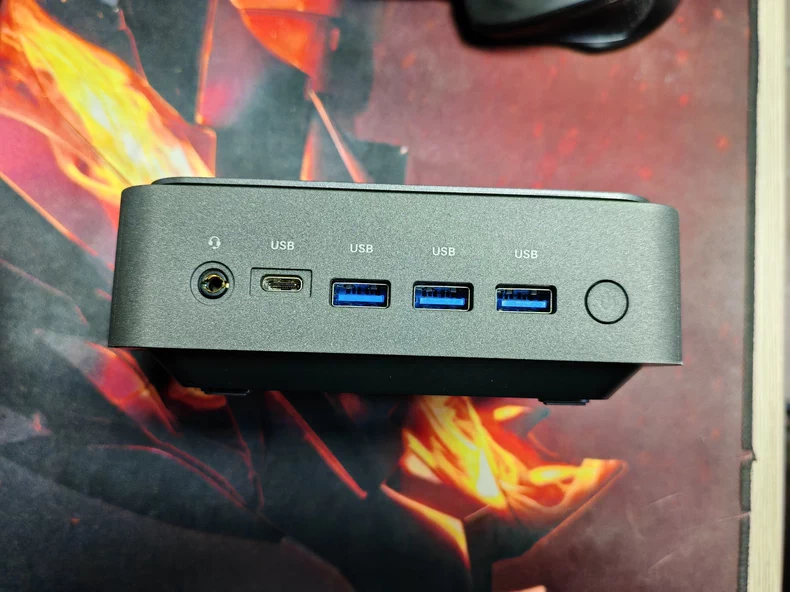
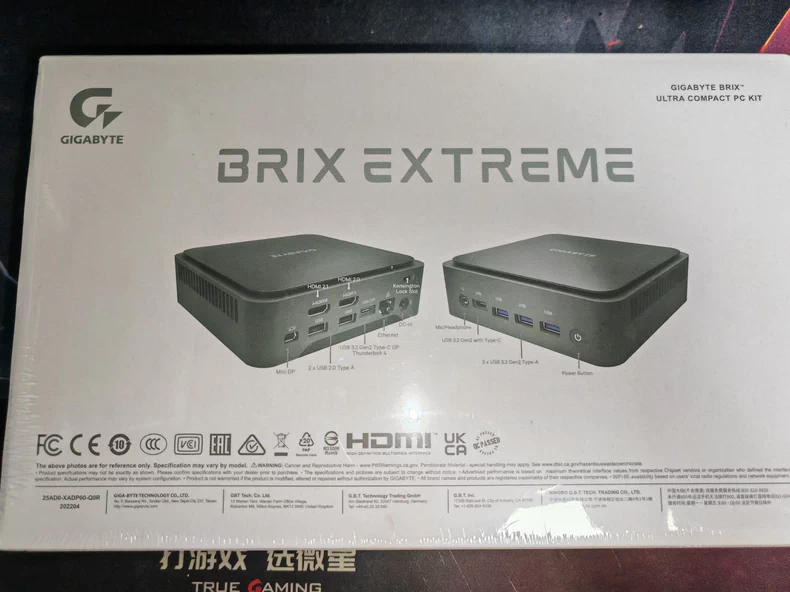
This is where the design philosophy shines. The motherboard features:
1× HDMI 2.1 (supports up to 8K)
1× HDMI 2.0
1× Mini DisplayPort 1.4
2× USB-C (Thunderbolt 4 capable)
4× USB-A (mix of USB 3.2 and USB 2.0)
1× 2.5G Ethernet
WiFi 6E module (replaceable)
Headphone/mic combo jack
Compared to my old laptop's two lonely USB-C ports and single 3.5mm jack, this feels luxurious. I can connect external storage, capture device, and multiple displays simultaneously without adapter hell.
Practical impact: My workstation now includes a 27-inch primary monitor (HDMI 2.1), a second 24-inch reference display (HDMI 2.0), and USB-C connection to a Thunderbolt dock that houses my external SSD and audio interface. No dongles, no daisy-chaining, no compromises.
Functionality & Ecosystem
Software & OS Compatibility
The BRIX arrived without an operating system, so I installed Windows 11 Pro. The machine has no complaints about drivers—Gigabyte provides a support page with audio, chipset, and network drivers ready to download. Installation took roughly 20 minutes start to finish.
System stability: I've clocked 80+ hours of runtime across work sessions, heavy rendering tasks, and overnight media library scans. Zero crashes, zero inexplicable slowdowns. The BIOS is straightforward, with three power profiles (Silent, Standard, Performance) that genuinely shift thermal and fan behavior—a nice touch for users who want to tune behavior based on their task.
What works seamlessly: Windows-native software ecosystem is fully compatible. Premiere Pro, Photoshop, DaVinci Resolve, VS Code, Chrome—all behave as intended. Wine and compatibility layers also function if you need legacy software.
What's missing: This is Intel integrated graphics, not a discrete GPU. It will not power a professional video editing suite with real-time 8K effects or run AAA games at high frame rates. That's not a flaw; it's the design boundary.
Gaming & Entertainment Performance
I tested this mini PC in two gaming scenarios to understand its recreational ceiling:
League of Legends (played at 1080p, maximum settings):
Frame rate: 140–165 FPS consistently in teamfights
Stability: Zero stuttering across 3-hour play session
Verdict: Smooth, responsive, exactly what a casual esports fan needs
PlayerUnknown's Battlegrounds (PUBG) PC Version (1080p, medium-high settings):
Team Deathmatch mode: 90 FPS stable
Classic Battle Royale mode: 45–55 FPS in busy areas, 70+ FPS in sparse zones
Verdict: Playable but not ideal; framerate fluctuation is noticeable
I did not push this machine toward AAA titles like Cyberpunk 2077 or Starfield—the Iris Xe integrated GPU would choke. But for someone whose "gaming" is really 30 minutes of League after work or casual turn-based strategy titles, the BRIX never breaks a sweat.
4K Video Playback & Home Theater Use: I connected this to a 65-inch TV and streamed 4K HDR content via Plex. The Iris Xe's hardware video decoder handled H.265 and VP9 streams flawlessly. Colors remained vibrant, blacks stayed deep, and there was zero stuttering. For a home media center, this machine is overkill in the best way—it consumes minimal power while delivering overhead-free playback.
Upgrade & Expandability
Internal Architecture
I cracked open the case to inspect the upgrade path. The internal layout is clean and well-organized:
Two DDR4 slots with Samsung modules pre-installed (easily swappable to 32GB total if desired)
One M.2 NVMe slot hosting a Kingston NV2 512GB drive with substantial thermal padding
Bonus: A pre-installed heatsink on the NVMe—many mini PCs skimp here, causing thermal throttling
One 2.5-inch SATA bay for a secondary HDD or SSD
Replaceable WiFi 6E module (standard M.2 Key E form factor)
Exposed COM and debug ports on the motherboard—not for daily use, but evidence of engineering thoughtfulness
The passive cooling system consists of a small turbine fan drawing air through copper heat pipes connected to an aluminum fin stack (red-copper finish, not the cheaper yellow variety). Thermal design in confined spaces is hard; Gigabyte didn't cut corners here.
Expansion reality check: You can add a second 2.5-inch SSD or mechanical drive for storage without cracking open the main cooling chamber. RAM upgrade to 32GB is straightforward. The wireless module can be replaced if you want faster WiFi 7 in the future. This modularity is rare in sub-liter mini PCs, and it extends the machine's lifespan significantly.
Sound & Thermal Signature
According to Gigabyte's specifications, this unit operates at:
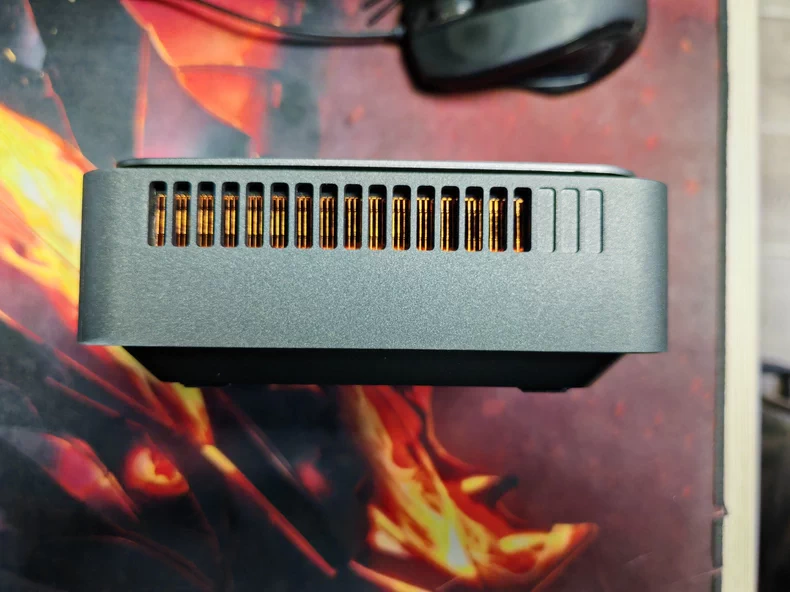
Idle (Silent mode): 20 dB
100% CPU load: 40 dB maximum
In my real-world testing, these figures held true. During day-to-day work, I genuinely forgot the fan existed. Under sustained load (video export or compiling), the fan became audible—a low-frequency hum, not the high-pitched whine of a compressed laptop cooling system. At 40 dB, it's quieter than a typical office or coffee shop environment.
The machine body never becomes hot to the touch, even when the CPU is pushing 80°C internally. That's excellent thermal transfer from the silicon to the case exterior.
Connectivity & Real-World Compatibility
I stress-tested the networking and I/O interfaces:
WiFi 6E throughput: Sustained ~900 Mbps on a WiFi 6E router (close range)
2.5G Ethernet: Topped out at ~2.4 Gbps in controlled LAN transfer (bottleneck was the switch, not the NIC)
USB-C with Thunderbolt 4: Successfully daisy-chained an external SSD enclosure and USB hub without negotiation; full-speed data transfer observed
Dual HDMI + Mini DP: Simultaneously drove three displays at 4K@60Hz with zero artifacting or resolution negotiation hiccups
All external USB 3.2 devices (storage, input controllers, capture cards) mounted and performed without driver hunting or compatibility anxiety. The BRIX plays well with every modern peripheral I threw at it.
Security, Privacy & System Updates
Gigabyte ships the BRIX without pre-loaded bloatware—a refreshing exception. The BIOS includes standard security options (SecureBoot, TPM 2.0 for Windows encryption). I enabled BitLocker on the main drive without incident.
Windows 11 Pro handles automatic updates, and I've received three cumulative security patches in the two weeks I've owned it. No forced reboot loops, no installation failures.
Caveat: This is a consumer-grade machine, not enterprise-class infrastructure. If you handle sensitive data professionally, you'll want to layer on additional encryption, access controls, and audit logging—separate from what the BRIX provides out-of-box.
Comparison & Competitive Positioning
Aspect | Gigabyte BRIX GB-BEi7H-1260 | Intel NUC 12 Pro (i7) | Xiaomi Mini PC |
|---|---|---|---|
Processor | i7-1260P (12C/16T) | i7-1260P (12C/16T) | Ryzen 7 5800H (8C/16T) |
Base RAM | 16GB DDR4 | 32GB DDR4 | 16GB DDR4 |
Base Storage | 512GB PCIe 4.0 NVMe | 1TB PCIe 4.0 NVMe | 512GB PCIe 4.0 NVMe |
Pricing (USD) | ~$2,600–$3,000 | ~$3,200–$3,600 | ~$1,800–$2,200 |
Connectivity | 2× HDMI 2.1/2.0, Mini DP, 2× USB-C, 4× USB-A | 2× HDMI, Mini DP, 2× USB-C, 4× USB-A | 1× HDMI, 1× USB-C, 2× USB-A |
Expandability | SATA slot, upgradeable RAM/NVMe/WiFi | RAM/NVMe upgradeable only | Limited |
Thermal (Idle) | ~50–55°C | ~48–52°C | ~45–50°C |
Noise Level | 20–40 dB | 18–38 dB | 22–42 dB |
Key Strength | Thermal design + expandability | Pre-configured with higher base specs | Compact footprint + lower price |
Why Choose Each?
Pick the Gigabyte BRIX if:
You want solid all-around performance without overpaying for pre-configured storage or RAM you don't need
Thermal design and quiet operation are non-negotiable
You plan to upgrade RAM or storage later
Budget is $2,600–$3,000 and you're comfortable building your own configuration
Wait for a price drop if:
You can live with slightly reduced upgrade path; Intel NUC 12 Pro offers more pre-loaded performance for a $500 premium
Xiaomi Mini PC drops further below $1,500; at that price, the Ryzen 7 5800H becomes a better raw value for single-threaded workloads
Consider a different brand if:
You need portability (laptop with a large external monitor still wins)
Gaming at high frames is your priority; a dedicated low-end GPU would outclass Iris Xe
Your ecosystem is locked into Mac or Linux; the BRIX is firmly x86 Windows-centric
What You Must Accept
If you buy this machine, you're making an explicit trade-off:
Loss of portability: No battery, no "grab and go." You're desk-bound during usage.
Upfront peripheral investment: A good 1440p+ display ($300–600), mechanical keyboard ($80–150), mouse ($40–80), and quality speakers ($100–300) are realistic additions. The BRIX itself is compact, but the ecosystem is not.
No thermal passive design: Unlike some fanless mini PCs, this one has active cooling. It will fail eventually; plan for component replacement.
Discrete storage expansion is mandatory: The 512GB base is tight for video editing projects. Expect to add a 2–4TB SATA drive within 3–6 months if you're archiving content.
These aren't flaws—they're the price of admission. Accept them, and you'll love this machine.
My Two-Week Verdict
I started this experiment believing the BRIX would be a sidegrade—same performance in a smaller form factor. I was wrong. It's been a workflow upgrade. My desk is cleaner, my mind is less cluttered, my back doesn't hurt from laptop monitor tilt, and I'm not hunting for adapters every time I want to plug something in.
A laptop will always be more portable. A desktop tower will always offer more raw upgrade potential. But this sweet spot—the mini PC with thoughtful thermal design and genuine expansion room—solves my actual problem: working comfortably at a desk for 6–8 hours without compromise.
If you're a content creator or hybrid worker tired of laptop compromises and ready to commit to a fixed workspace, the Gigabyte BRIX GB-BEi7H-1260 is a worthy investment at $2,600–$3,000. It won't rewrite your performance ceiling, but it will reshape your daily comfort. That reframing, for me, was everything.