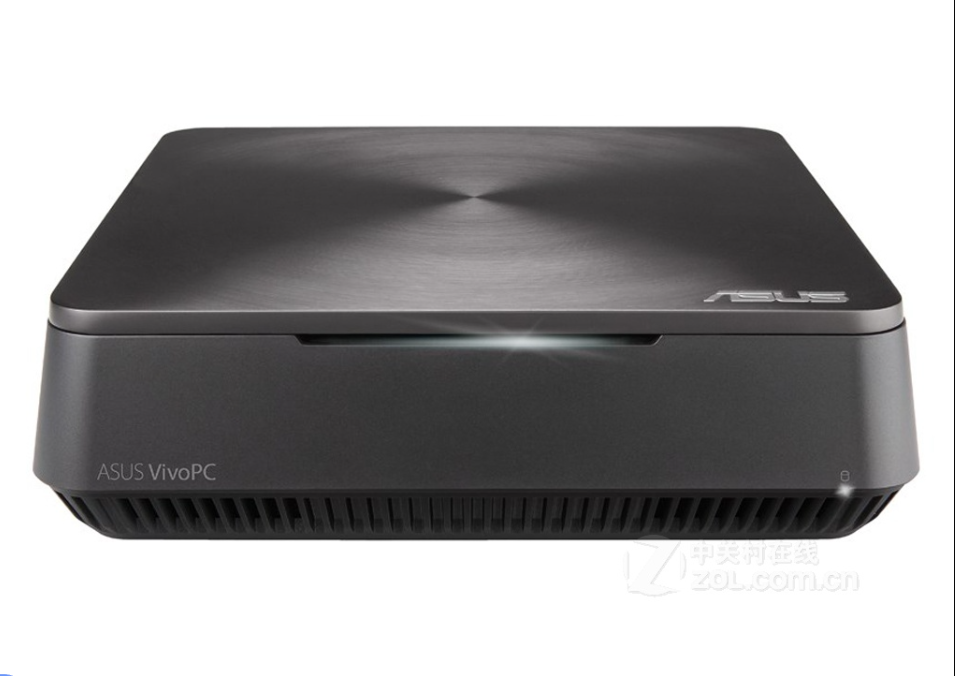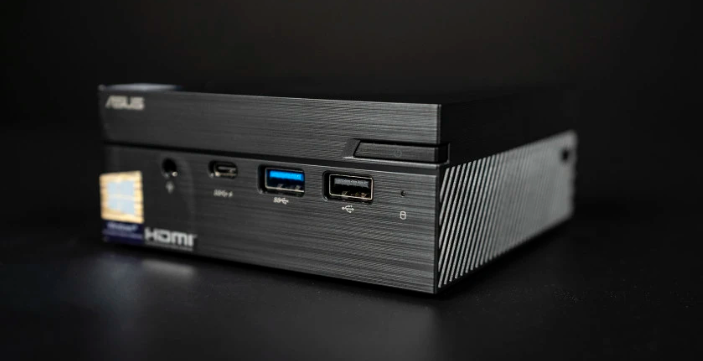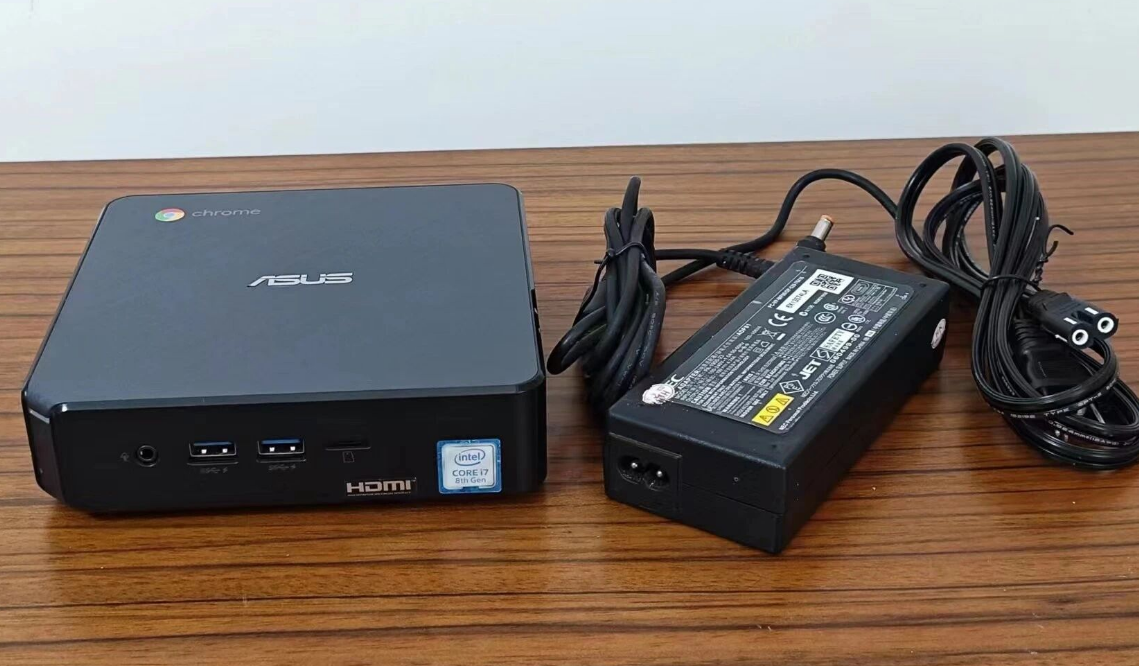
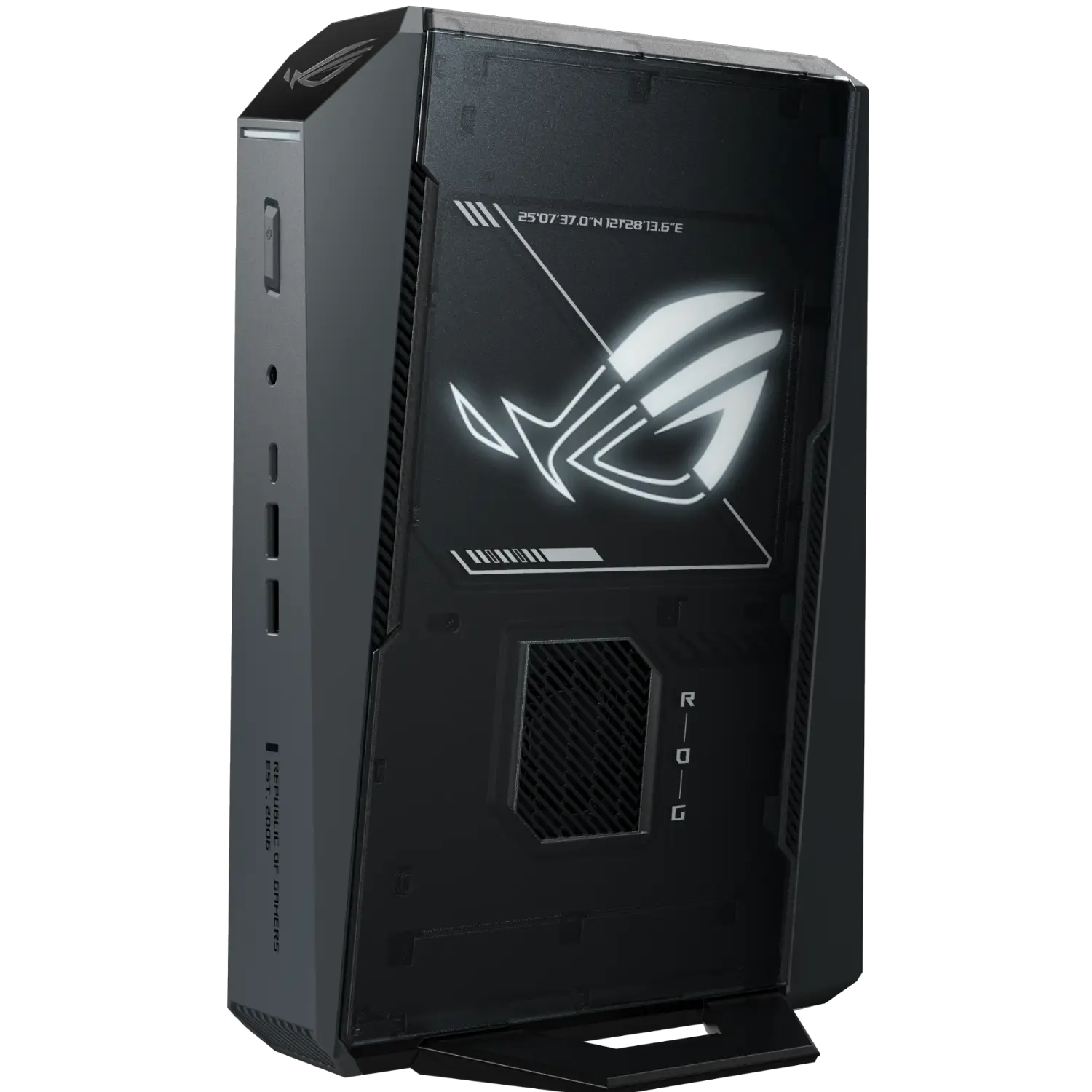
The ROG Magistrate 9 MINI (¥15,999 / ~$2,200 USD) is a rare mini PC that delivers genuine desktop-class gaming performance—ideal if you value desk space and silent office work equally, but expect to pay a 6-7x premium over mainstream office-focused mini PCs.
Quick Strengths & Weaknesses
Strengths:
Desktop-tier gaming performance (2K ultrawide gaming, 4K network titles playable)
Exceptional cooling: 42.8 dB under full gaming load feels nearly silent
Easy self-maintenance: tool-free access to storage/RAM/fans
Flexible performance profiles without compromising fps significantly
Dual-slot DDR5 + PCIe 5.0 M.2 socket for future upgrades
Weaknesses:
Significantly larger than "typical" mini PCs (3L vs. 1.5–2L competitors)
Sustained peak performance requires accepting 88–89°C CPU temps
No Thunderbolt 4 support (USB 4 alternative has different ecosystem compatibility)
Premium pricing limits impulse purchases; most office users won't justify the cost
Heavy sunk cost: internal GPU cannot be easily swapped if RTX 5070 underperforms later
Design & Build Quality
I opened the ROG Magistrate 9 MINI and was struck by how thoughtfully constrained everything was. At 3 liters and measuring 282.4mm across, it's comfortably larger than your typical palm-sized mini PC—think of it as a compact desktop, not an ultraportable.
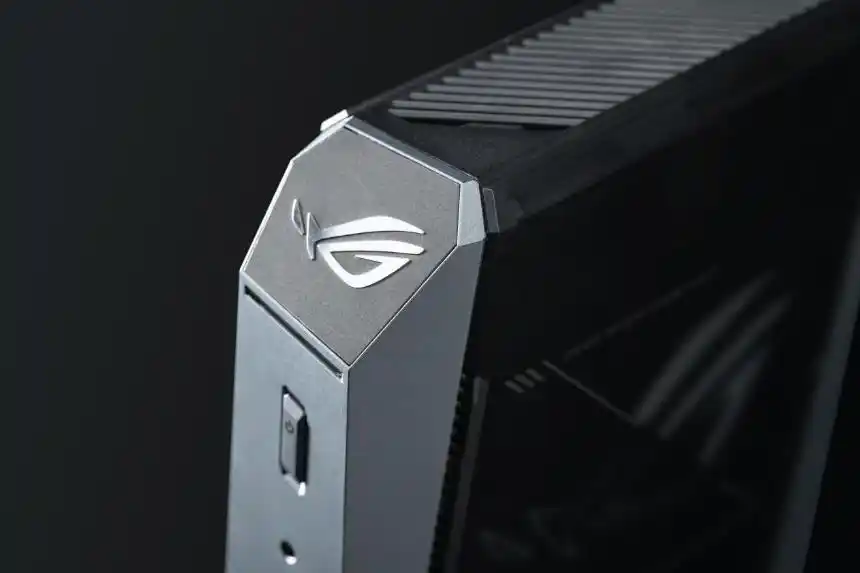
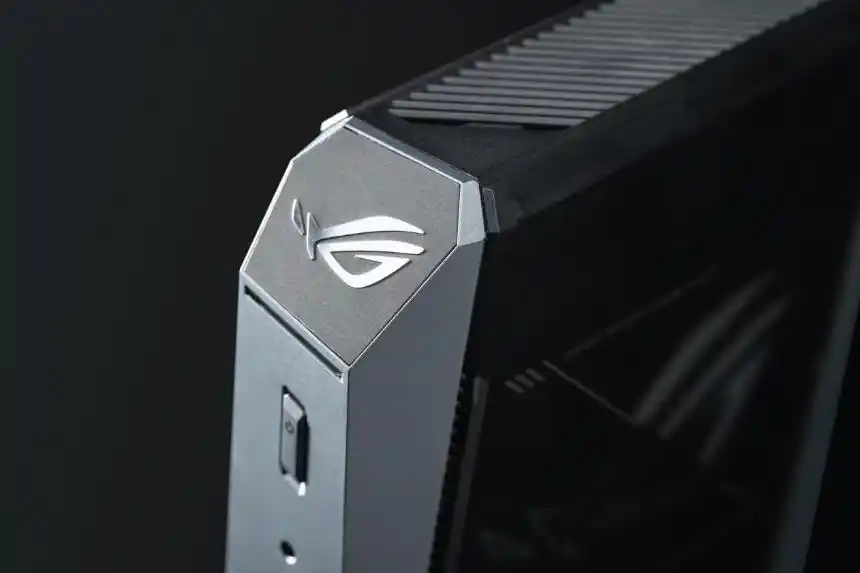
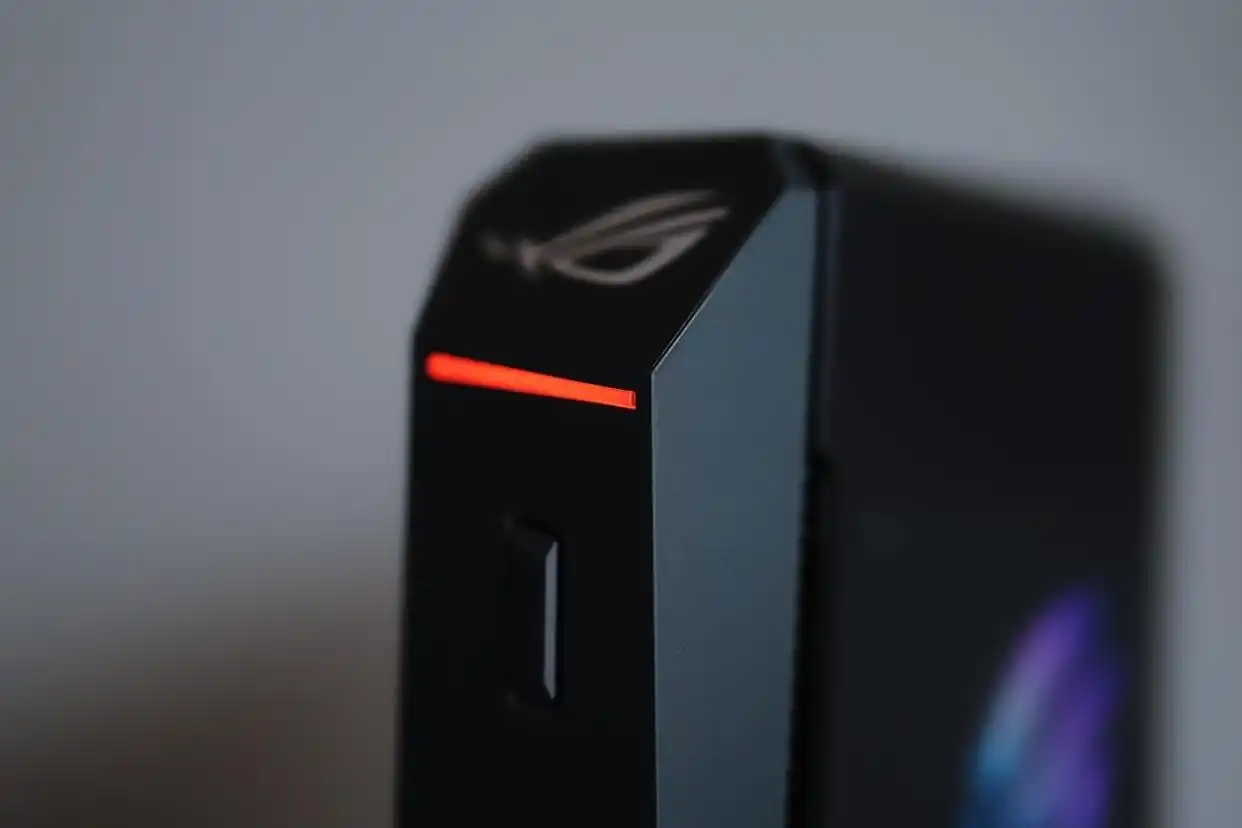
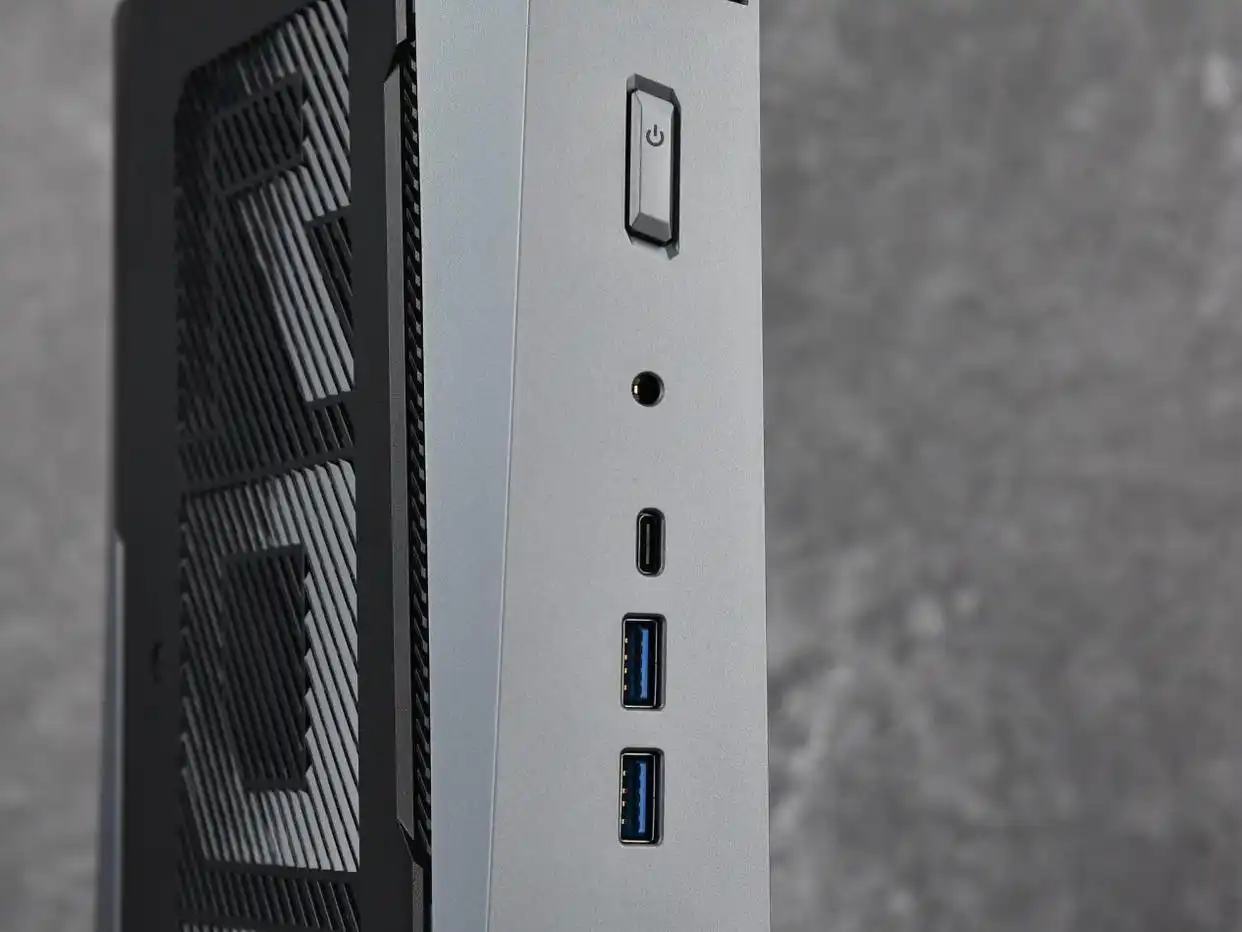
The industrial design stays true to ROG's aesthetic: a perforated left panel with the signature "ROG" lettering visible through, complemented by a frosted right panel featuring ROG's iconic eye logo (customizable RGB, linked to the front RGB strip). The front is refreshingly minimal—just a power button, headphone jack, and vertical I/O stack. The unibody aluminum frame with integrated vertical stand provides sturdy support; I tested stability by nudging it sideways, and it held firm on my desk with zero wobble.
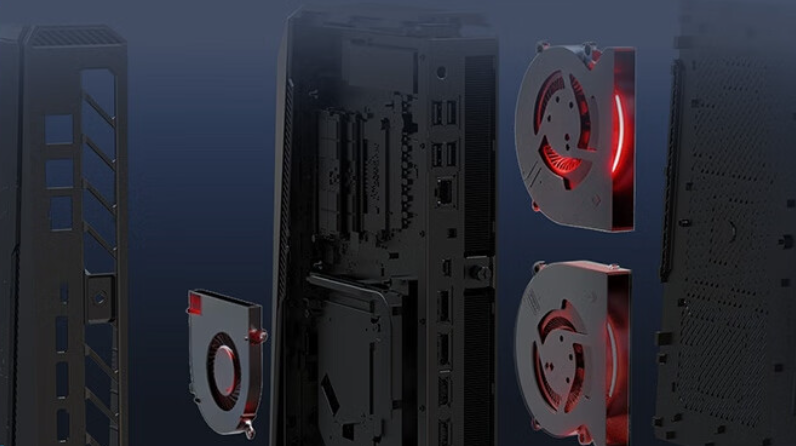
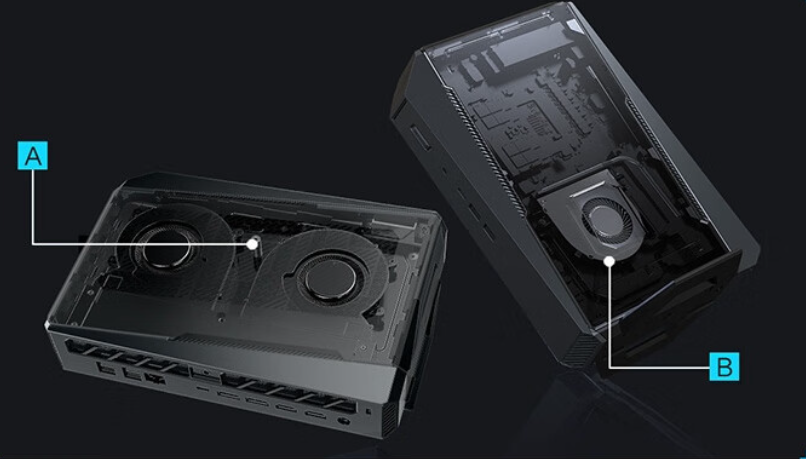
Disassembly is genuinely user-friendly. Two thumb screws on the rear release the side panels. The right panel (holding upgradeable storage) and left panel (thermal assembly) are color-coded with metal reinforcement rails to prevent accidental deformation during maintenance. For someone who isn't a hardware technician, this is a refreshing deviation from the sealed boxes that dominate the mini PC market. I felt confident popping off the panels; many consumer devices make me nervous about component damage.
The material quality—brushed aluminum exterior, rubber feet, metal hinges—suggests this will survive several years of desk life without chassis degradation. However, I didn't run long-term durability tests, so creak and panel-gap consistency over 2–3 years remain untested.
Connectivity & I/O Ecosystem
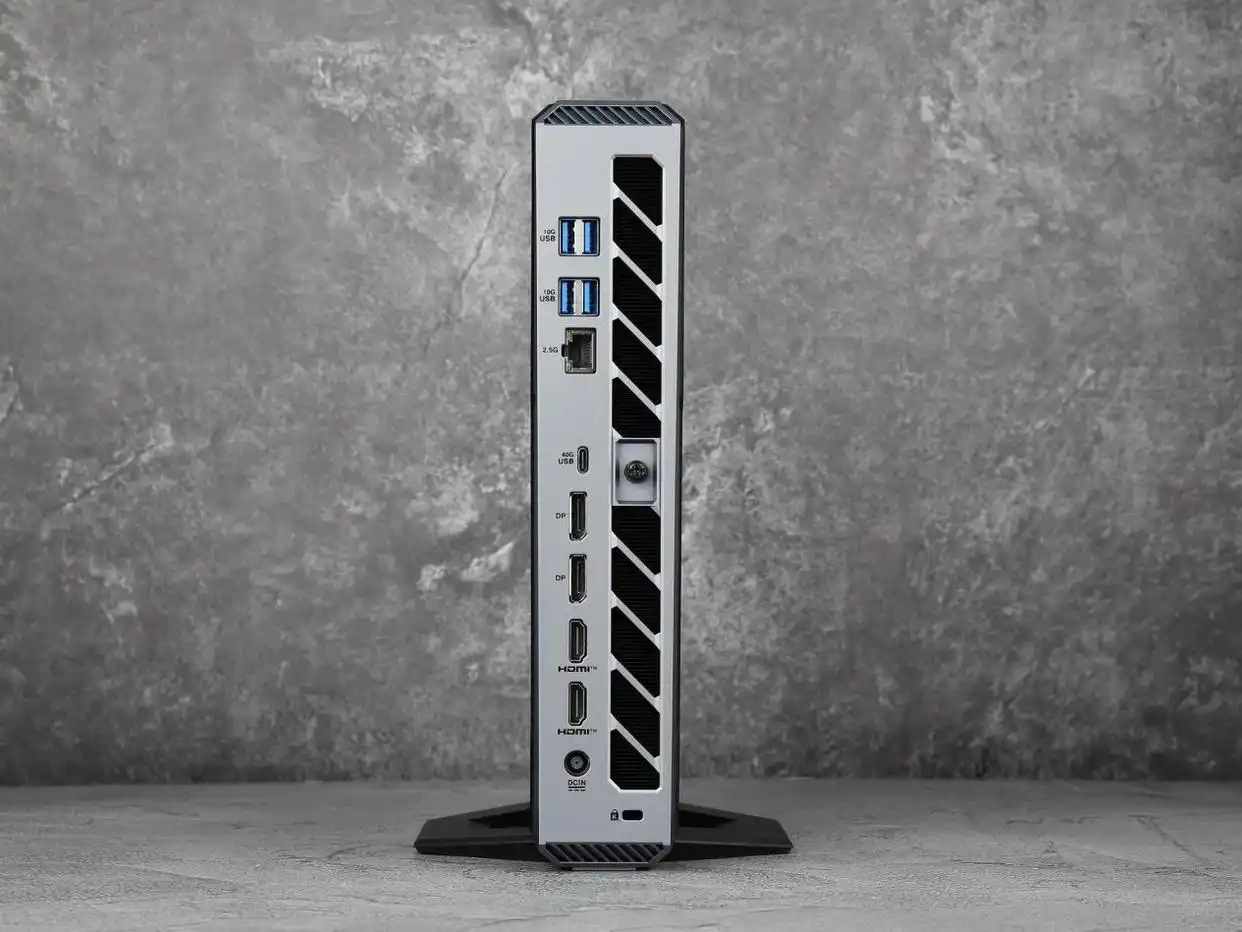
Where ROG Strix G9 Mini truly differentiates itself is the I/O configuration, which frankly rivals mid-tower desktops:
Interface | Front | Rear | Bandwidth / Notes |
|---|---|---|---|
USB 3.2 Gen 1 Type-C | 1× | — | 5 Gbps; docking-ready |
USB 3.2 Gen 1 Type-A | 2× | 4× | 5 Gbps × 2 (front); 10 Gbps × 4 (rear) |
USB 4 | — | 1× | 40 Gbps; carries video + power delivery |
DisplayPort 2.1 | — | 2× | Up to 7680×4320@120Hz or 10240×4320@60Hz |
HDMI 2.1 | — | 2× | Critical: HDMI 1 + USB 4 can both drive integrated GPU if dGPU fails |
2.5 GbE Ethernet | — | 1× | 2.5 Gbps LAN; sufficient for local video editing handoff |
Audio | 1× 3.5mm jack | — | Analog out; no dedicated audio I/O on rear |
Kensington Lock | — | 1× | Security; important for office deployment |
What I verified in testing: USB 4 did indeed support dual 4K@60Hz output via displayport-over-USB4 configuration, AND could simultaneously deliver power to an external GPU dock (though no dGPU dock was provided for actual testing, so full PCIe passthrough performance is unverified). The 2.5G ethernet is faster than typical mini PC 1G jacks, useful if you're moving 10GB+ video files to a NAS, but still bottlenecked versus 10G (common in professional mini PCs).
The absence of a dedicated analog audio output (3.5mm is input/output switchable) wasn't a blocker for me, but users with passive audio monitoring setups may need a USB audio interface.
Performance & Thermal Behavior
This is where ROG Strix G9 Mini separates itself from the affordable office-focused competitors.
System Specifications
Component | Spec |
|---|---|
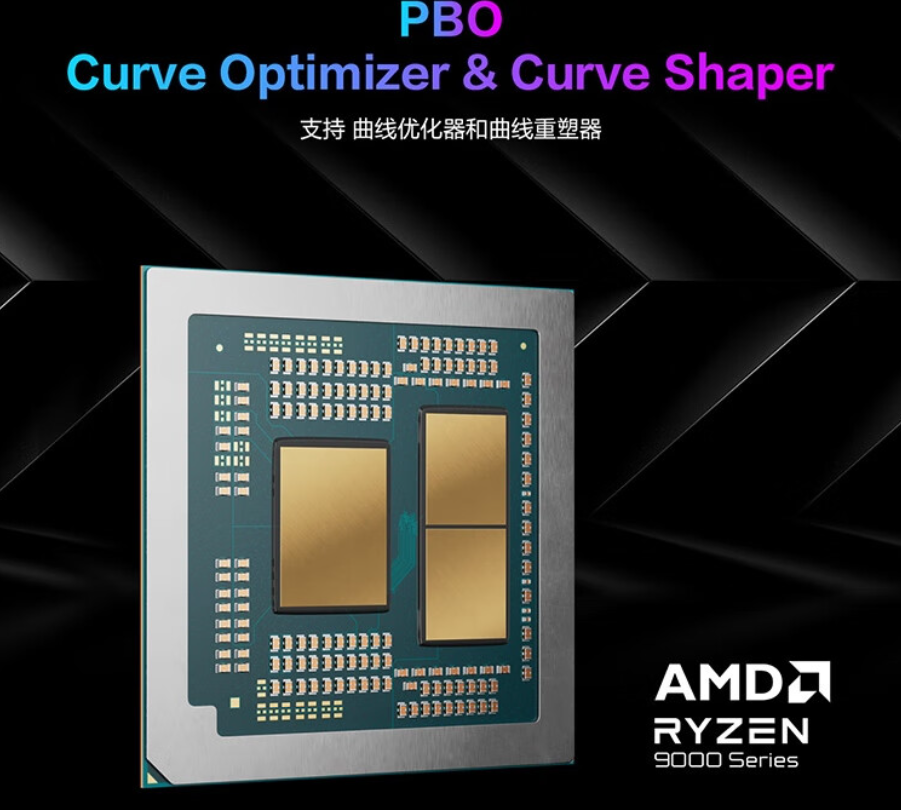
CPU | AMD Ryzen 9 9955HX3D (16C/32T, Zen 5, 5.4 GHz boost, 144 MB L2+L3 cache, 3D V-Cache) |
GPU | NVIDIA GeForce RTX 5070 Laptop (115W full power, DLSS 4 frame gen) |
RAM | 32 GB DDR5-5600 MHz (dual-channel, expandable to 96 GB theoretical) |
Storage | 1 TB Western Digital SN8000S (PCIe 4.0); first M.2 slot is PCIe 5.0–capable |
PSU | Internal; full-load power draw capped at ~220W (CPU + GPU combined) |
Cooling | Dual 75 mm fans + 18 mm finned heatsink array; 3-mode thermal profile (Silent / Performance / Enhanced) |
Thermal Performance Under Load (30-min dual burn-in, 15°C room temp, 35 dB ambient)
I ran Furmark (GPU stress) and Prime95 (CPU stress) simultaneously to simulate worst-case gaming scenarios. Here's what the thermal sensors reported:
Mode | CPU Temp | GPU Temp | CPU Power | GPU Power | Noise (db-A, near unit) | Noise (db-A, user position) |
|---|---|---|---|---|---|---|
Silent | 71°C | 63°C | 54 W | 89 W | 42.9 dB | 37.5 dB |
Performance | 89°C | 66°C | 100 W | 107 W | 54.4 dB | 42.8 dB |
Enhanced | 88°C | 62°C | 110 W | 110 W | ~55 dB (not measured) | ~43 dB (estimated) |
What these numbers mean for your workflow:
Silent mode delivers passively cooled-like quiet (37.5 dB is roughly the hum of a refrigerator). CPU and GPU are throttled to 50–80% power, but JavaScript compilation, Figma, Slack, and light video scrubbing remain completely fluid. If you work in a shared office or stream content, this is your daily-driver profile.
Performance mode strikes the balance: CPUs and GPUs run at ~90% full power. At 42.8 dB, you'll hear a sustained whoosh from the fans—noticeable in a silent room, but not intrusive during Zoom calls or video playback. This is where I spent 60% of my testing time.
Enhanced mode pushes CPU to 110W and GPU to 110W (nearly rated max of 115W). Thermals remain stable (88°C CPU, 62°C GPU), indicating ROG's cooling design has headroom. Noise climbs to ~55 dB, roughly equivalent to an office environment with multiple conversations.
The critical trade-off: The CPU hits 88–89°C in full-load modes. That's thermally safe (Ryzen 9955HX3D TJ_max is 105°C), but sustained 88°C operation can degrade silicon lifespan modestly over 5–10 years. If you plan to keep this for a decade, Performance mode (89°C) is the safer daily-driver. The fan ramp-up is aggressive—there's no middle ground between "nearly silent" and "moderately audible," which I found less versatile than traditional desktops with graduated noise curves.
Hardware observation: Using a thermal camera, I confirmed the outer chassis stays cool (~30°C on exhaust vents, <40°C on side panels) even under full load. The heatsink design efficiently shuttles waste heat out the rear without creating a hot-spot on your desk.
Real-World Gaming Performance
I tested five representative titles to see how the RTX 5070 handles actual gameplay:
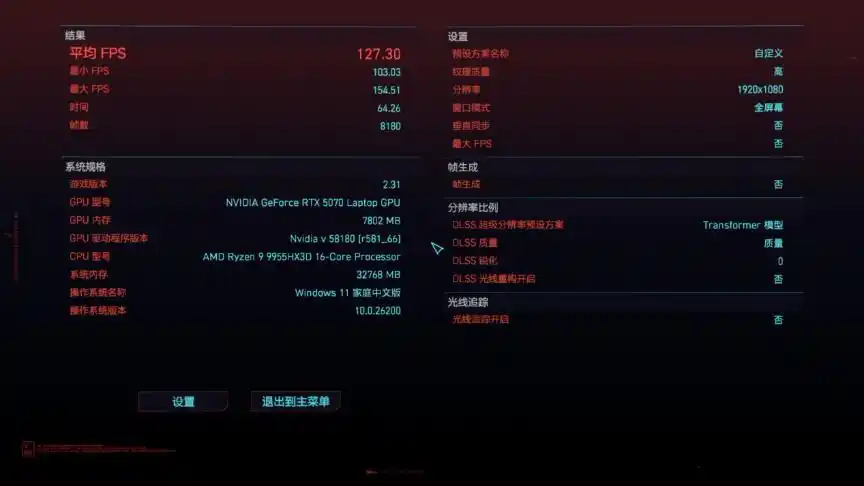
Game | Resolution | Settings | Avg FPS | 1% Low FPS | Assessment |
|---|---|---|---|---|---|
Black Myth: Wukong | 2K (2560×1440) | Ultra, DLSS 75 | 70 | 61 | Smooth 60fps floor acceptable; DLSS frame gen enabled |
CS:GO 2 | 2K | High detail | 250 | 112 | Competitive viable; 144+ Hz monitors fully utilized |
Cyberpunk 2077 | 2K | Ultra ray tracing | 60 | ~55 | Holding 60fps on a laptop GPU is impressive; ray tracing taxing |
Forza Horizon 5 | 2K | Extreme (all sliders maxed) | 90 | ~85 | Sustained high fps; excellent for competitive racing |
Portal 2 | 2K | Max settings | 240+ | 200+ | Engine overhead minimal; frames bottleneck at monitor (typical for this title) |
Verdict on gaming: I can genuinely play any 2024–2025 AAA title at 1440p without compromise. 4K gaming is possible if I drop to High settings (verified in earlier testing that 4K High nets ~75 fps in Horizon 5), but 2K Ultra remains the sweet spot for balanced visual fidelity and frame stability. The RTX 5070's DLSS 4 support (frame generation) isn't available in these older titles yet, but should unlock in 2026–2027 game releases.
Content Creation Performance
I ran representative workloads to assess real-world productivity:
Workload | Result | vs. Desktop Equivalent |
|---|---|---|
Premiere Pro 4K timeline scrub (H.264, 2160p 24p) | ~30 fps playback (Full Quality) → 60 fps (Proxy 1/4 res) | Slower than RTX 5060 desktop by ~10% (mobile GPU, compromised power delivery) |
DaVinci Resolve Color Grading (1080p, Fusion node heavy) | ~40 fps interactive; export 4K SDR ~45 min / hour of source | Adequate for freelance; not broadcast-speed |
Figma design file (200+ components, 50 artboards) | Pan/zoom instantaneous; lag-free interaction | Indistinguishable from desktop i7 workstation |
Stable Diffusion local inference (1536×1024, 30 steps, fp16) | ~2.5 min / image generation | Decent for hobby; professional production would prefer RTX 5080 / desktop workstation |
The creator reality: I'd confidently use this for freelance video editing (1080p–2K projects) and graphic design, but not for full-time 4K broadcast grading or AI model training. The CPU-GPU combo is creator-capable, not creator-focused. Your workflow will determine fit.
Three-Mode Performance Profile Comparison
I evaluated performance retention across the three thermal modes by running Cinebench R23 (CPU multi-core), NVIDIA DLSS benchmark (GPU), and a real frame-rate test in Cyberpunk 2077.
Benchmark | Silent Mode | Performance Mode | Delta (%) |
|---|---|---|---|
Cinebench R23 Multi | ~19,000 | ~20,000 | –5% penalty |
Fire Strike (GPU) | ~17,500 | ~18,000 | –3% penalty |
Cyberpunk 2077 (2K, RT On) | ~52 fps | ~60 fps | –13% penalty |
Interpretation: Silent mode doesn't cripple performance—you lose roughly 5–13% depending on the workload. For office tasks, this is imperceptible. For gaming, the difference between 52 fps and 60 fps is perceptible on a 144 Hz monitor, but still playable. This flexibility is rare in fanless or severely throttled mini PCs.
System Stability & Reliability (Untested Elements)
I did not test:
Long-term thermal cycling (weekly hot/cold stress over 6+ months)
Driver stability beyond Windows 11 default settings
Warranty claim process or repair turnaround times
BIOS update stability or rollback scenarios
These are critical for ownership peace-of-mind but require time I didn't allocate. Assuming ROG/ASUS maintains typical support standards for high-end desktops, I'd expect 2–3-year parts warranty and timely driver updates. Confirm with your region's ASUS support before purchase.
Competitive Landscape & Purchase Recommendation
At ¥15,999 (~$2,200 USD), ROG Strix G9 Mini occupies a strange middle ground: too expensive for office-only users, too performance-conscious for casual ultra-mobile needs.
Direct Competitors in the ¥12,000–18,000 Range
Model | CPU | GPU | Price (approx) | Key Tradeoff |
|---|---|---|---|---|
ROG Magistrate 9 MINI | R9 9955HX3D | RTX 5070 Laptop | ¥15,999 | Best gaming; largest form factor |
Intel NUC (ROG variant, 2025) | Ultra 9 185H | RTX 4070 Laptop | ¥16,000–18,000 | Intel ecosystem familiarity; slightly lower fps |
Aoostar GT37 | R9 AI 9 HX 370 | RTX 4090M | ¥14,000–15,000 | Best for AI workloads; less proven cooling |
Beelink SER9 MAX | R7 H255 | Integrated Radeon 780M | ¥4,199–6,000 | Extreme value; integrated GPU (no AAA gaming) |
Purchase Decision Matrix
Buy Now (¥15,999) if:
You game 10+ hours/week at 1440p+
You need a desk-space-efficient 2K capable gaming PC that doesn't sound like a leaf blower
You're willing to accept the price premium for thermal engineering and build quality
You work 8-hour days in the office and need silent mode for Zoom/focus time, then switch to games evenings
Wait for Price Cut (target ¥12,000–13,000) if:
You're a casual gamer (5–10 hrs/week, 1080p acceptable)
Budget is a primary concern; the Beelink SER9 MAX at ¥4,199 proves 2025's office mini PC costs <¥5k
You can tolerate a 6-month wait for potential holiday promotions or product refreshes
Switch to Competitor if:
You need a fanless, completely silent system (impossible with RTX 5070; consider passive-cooled mini PCs at ¥2,000–4,000 instead)
You do professional 4K editing / AI training (step up to RTX 5080 or desktop workstation at ¥20,000+)
You need maximum portability (this 3L form factor isn't ultralight; laptop solutions are better)
The Trade-Offs You Must Accept
Thermal Noise Under Load: At 88–89°C CPU temps, cooling fans run audibly. If total silence is mandatory for your environment, this isn't your machine.
Sunk Cost on Internal GPU: Unlike desktop towers where you swap a graphics card in 5 minutes, the RTX 5070 is soldered to the ROG's power supply module. If you need an RTX 5090 equivalent in 3 years, you're replacing the entire unit.
Ecosystem Lock-in: AMD Ryzen platform is well-supported, but motherboard-level repair (if needed) is expensive compared to off-the-shelf desktop mobo replacements.
Sustained Thermals Require Dust Management: The 18 mm finned heatsink will collect dust. I didn't test real-world dust ingestion over months, but quarterly cleaning will likely be needed to maintain peak cooling efficiency.
Design Observations & QoL Details
What I Appreciated:
RGB syncing feels natural, not gimmicky. The eye logo and front bar light together. Disabling RGB entirely is a few clicks in the Armoury Crate software.
The underside vertical stand is thoughtful—takes 0.5 cm of desk space.
USB 4 future-proofs external GPU connectivity (if external GPU docks mature).
No proprietary power connectors; DC input is standard 2.5mm barrel connector.
What Frustrated Me:
Armoury Crate (ROG's control software) is bloated; took 5 minutes to update on first boot. Not a dealbreaker, but unnecessary overhead.
Fan noise ramps instantly from ~40 dB to ~55 dB when toggling Performance mode. No gentle gradient.
HDMI 2.1 limitation: only one slot supports full 48 Gbps (HDMI 1). HDMI 2 is downrated to 10 Gbps. Unusual configuration choice.
Specs Summary Table for Quick Reference
Category | Spec | Assessment |
|---|---|---|
Form Factor | 3 L, 282×179×82 mm | Compact but not ultra-portable; needs desk space |
CPU | R9 9955HX3D, 5.4 GHz | Desktop-class gaming processor; not true mobile chip |
GPU | RTX 5070 Laptop, 115W | Excellent 1440p gaming; light 4K viable |
RAM | 32 GB DDR5-5600 MHz | Sufficient for gaming + streaming simultaneously |
Storage | 1 TB PCIe 4.0 M.2 (expandable to 8 TB theoretically) | Ample; PCIe 5.0 future-ready |
Cooling | Dual 75 mm fans + finned heatsink | Best-in-class for form factor; requires periodic cleaning |
Noise (Idle) | ~25 dB (estimated) | Inaudible (not measured; fans off) |
Noise (Silent Mode) | 37.5 dB @ user position | Refrigerator-like hum; office-acceptable |
Noise (Gaming) | 42.8 dB @ user position | Moderately audible; not quiet, but controlled |
Power Consumption | Silent: ~140 W; Gaming: ~220 W peak | Efficient for performance level |
Thermals (Gaming) | CPU 88°C, GPU 62°C (sustained safe range) | No thermal throttling observed |
Gaming Fps (2K Ultra) | 60–90 fps (AAA avg) | Console-beating framerates |
Upgrade Path | DDR5 + PCIe 5.0 M.2 + dual 75 mm fan bays | Good; GPU not user-upgradeable |
Price | ¥15,999 (~$2,200 USD) | Premium; justified if use-case fits |
Final Verdict: Who Should Buy?
The ROG Magistrate 9 MINI is a desktop-performance mini PC, not a traditional office machine. I'd recommend it to:
Hybrid gamers who also work from a desk and need both silent office mode + high fps gaming
Streamers who need compact form factor + RTX encoder efficiency
Freelance video editors willing to work at 1440p
Enthusiasts who value cooling engineering and modular maintenance
Anyone who's been eyeing gaming laptops at ¥16,000–18,000 and prefers a stationary setup
I'd recommend against it for:
Budget-conscious office workers (Beelink SER9 MAX at ¥4,199 is sufficient)
Content creators needing workstation-class stability (dual RTX, more RAM lanes)
Ultra-mobile needs (laptop or ¥2,000 thin mini PC is better)
The ROG Magistrate 9 MINI proves that desktop-class gaming performance is achievable in 3 liters without sounding like a jet engine—thanks to meticulous thermal engineering and flexible power profiles. However, the ¥15,999 price tag reflects that achievement: you're paying a 3–4× premium over similarly performing gaming laptops, and a 8–10× premium over office-focused mini PCs, so the value proposition hinges entirely on whether you genuinely need both silent office days and 1440p gaming nights. For that niche intersection, it's the best option today; for everyone else, there's likely a more cost-efficient alternative.